
Maintenance reports, automated from SiteSkite
Generate professional website maintenance reports for clients and internal teams — updates, backups, uptime, performance, and actions summarized in branded PDFs with flexible scheduling.
7-day trial · No credit card required
Why automated reports?
Agencies and developers perform ongoing maintenance every week — reports turn that work into visible value clients can see, share, and renew on.
Demonstrate value
Show updates, backups, uptime, and maintenance actions in a clear report — proof of the work you perform on managed WordPress sites.
Professional client updates
Replace manual status emails with structured, branded PDF reports delivered on a consistent schedule.
Save reporting time
Configure report profiles once, assign them to sites, and let SiteSkite generate and send reports automatically.
What Reports includes
Reusable report profiles define layout, content, recipients, and delivery — then run across one site or your entire portfolio.
Report profiles
Create named profiles with date/time format, language, email content, sections, target sites, recipients, and schedule.
Configurable sections
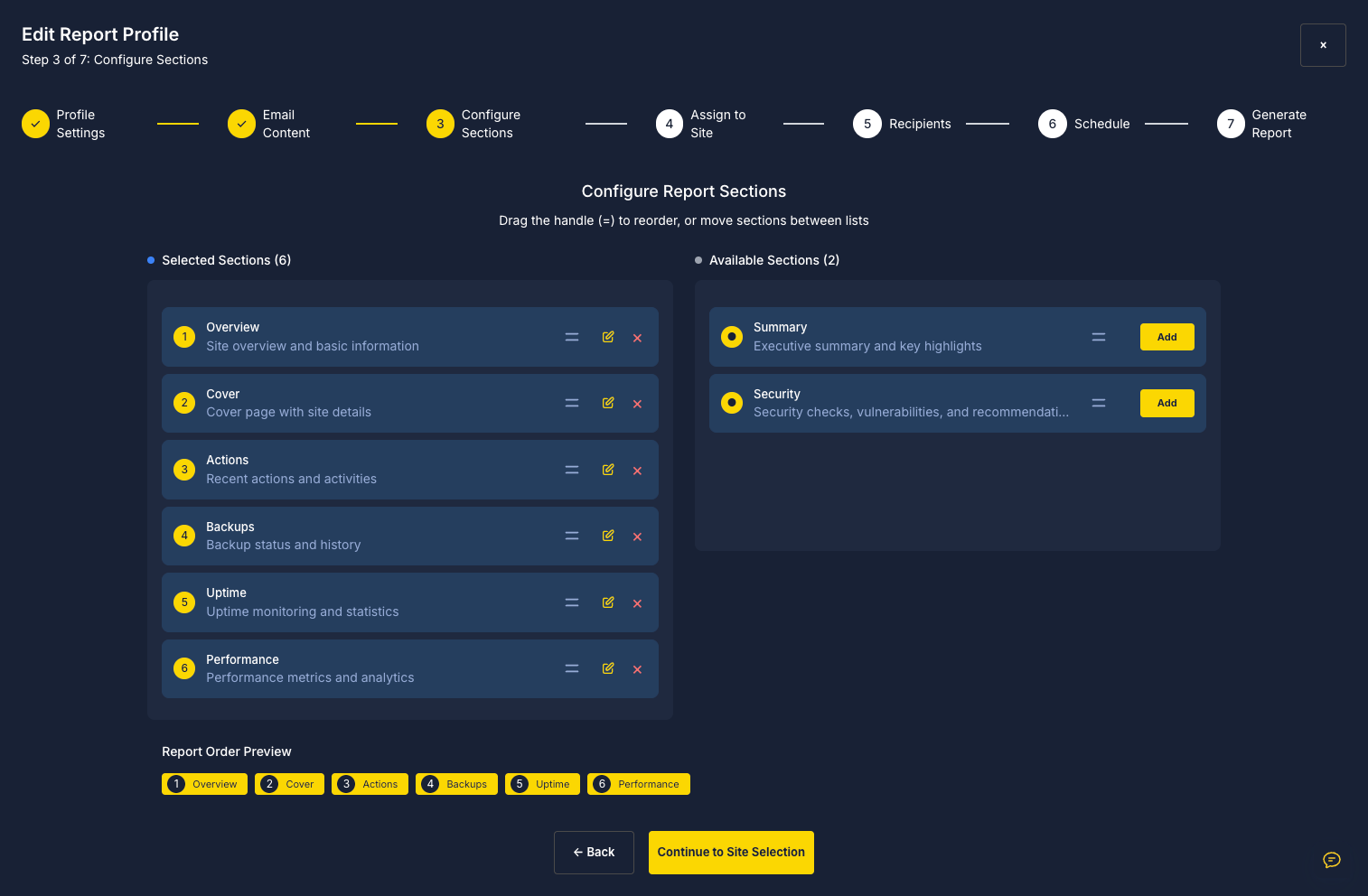
Drag and reorder Overview, Cover, Actions, Backups, Uptime, Performance, Search Console, Analytics, and optional security or executive summary blocks.
Branded email delivery
Customize subject, body, and signature — with dynamic variables like [Project Name], [Backup Count], and [Firstname].
Flexible scheduling
Generate manually or schedule weekly, monthly, or quarterly reports so client communication stays consistent.
Multi-site assignment
Assign one profile to a single site, selected sites, or all linked sites — one configuration for many clients.
PDF export
Compile selected sections for a defined report period and export as PDF to selected recipients.
Report sections you can include
Build each report around what your client cares about — from uptime and backups to performance and security.
- Overview — site summary and basic information
- Cover — branded cover page with website details
- Actions — recent plugin, theme, and maintenance activity
- Backups — backup history and status
- Uptime — monitoring statistics and availability data
- Performance — insights and Core Web Vitals metrics
- Search Console — Google Search clicks, impressions, top queries, and growth opportunities (new)
- Analytics — GA4 users, sessions, traffic channels, and top pages (new)
- Optional — executive summary, security info, vulnerability alerts
Who uses SiteSkite Reports
Maintenance reporting for anyone who needs stakeholders to see ongoing WordPress care.
Agencies
Send monthly maintenance summaries that support retainer renewals and reduce “what did you do this month?” calls.
Developers & freelancers
Document updates, backups, and monitoring for clients without building reports by hand every cycle.
Internal teams
Keep account managers and ops leads aligned with a centralized record of maintenance across linked sites.
How to create a report
SiteSkite guides you through a setup wizard — from profile settings to scheduled PDF delivery.
Create a report profile
Open Reports in the portal, click Create Report, and set profile name, date/time format, and language.
Configure email & sections
Customize sending name, subject, body, signature, and drag the report sections you want included.
Assign sites & recipients
Select linked websites, add client email addresses, and choose manual, weekly, monthly, or quarterly delivery.
Generate the PDF
Set the report period, review the summary, click Generate Report — SiteSkite compiles and sends the PDF.
Reporting best practices
Get the most from automated reports with a consistent structure and the sections clients expect every cycle.
Recommended setup
A strong default profile saves time and keeps every client report structured the same way.
- Schedule weekly or monthly reports for active care clients
- Include uptime, updates, and backups in every report
- Add Search Console and Analytics so clients see results, not just activity
- Personalize email messages with dynamic variables
- Keep report structure consistent across projects
Benefits at a glance
- Demonstrate value with documented maintenance work
- Professional, structured client communication
- Automate repetitive reporting tasks
- Manage reports for multiple sites from one dashboard
- Maintain accountability with a clear activity record
Reports are included in your SiteSkite plan
Pair automated PDF reporting with backups, monitoring, updates, and white-label branding — all from the same WebOps portal.
7-day trial · No credit card required