
Your perfect setup, launchable in seconds
SiteSkite Blueprints turn a configured Sandbox site into a reusable template — launch a fresh WordPress install with the same theme, plugins, and demo setup. Isolated, temporary, and safe to test, share, or discard.
7-day trial · No credit card required
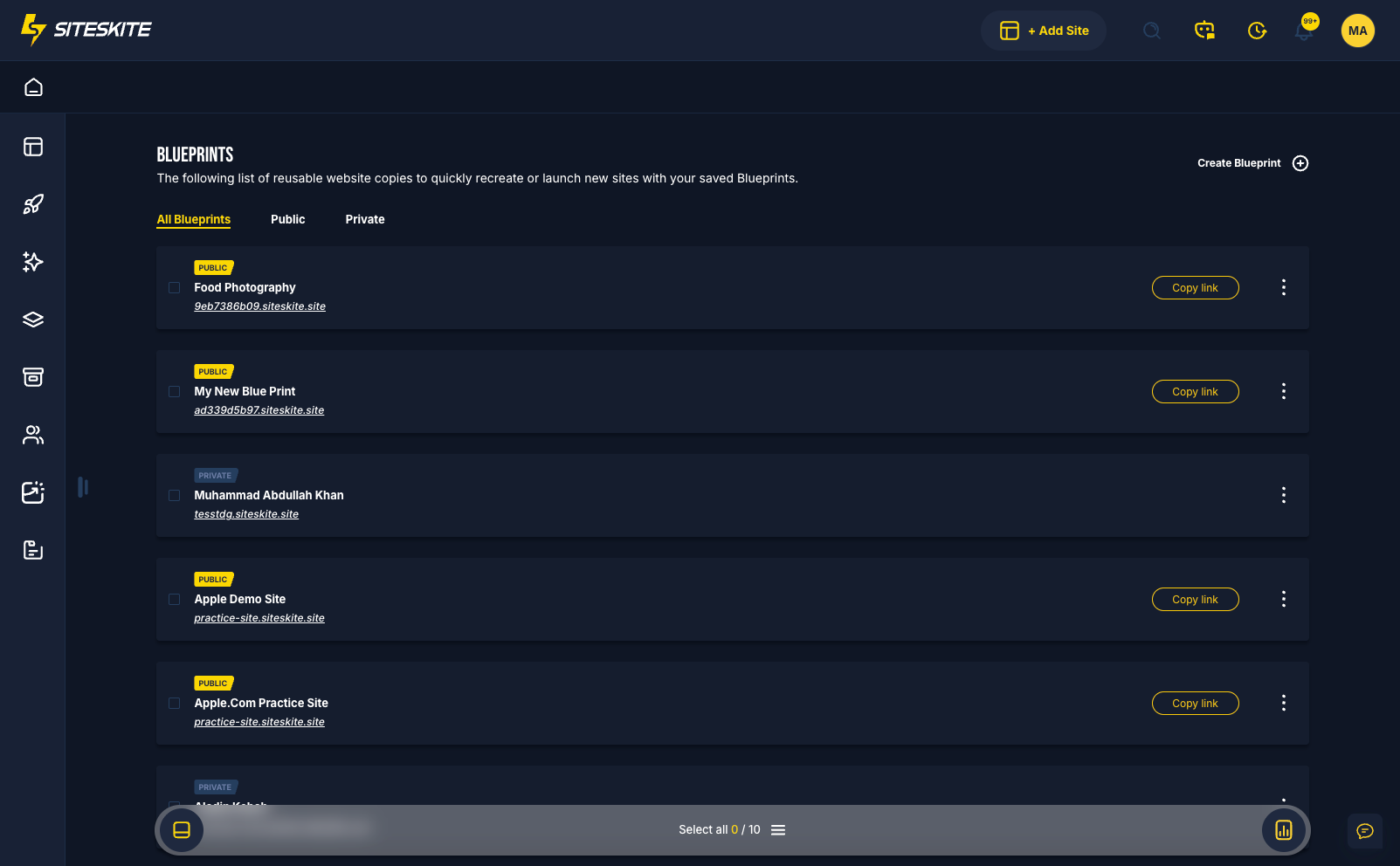
Why Blueprints?
Stop rebuilding the same WordPress starter from scratch. Save a golden snapshot once, then launch unlimited clean Sandboxes for demos, onboarding, and testing.
Reuse without repetition
Capture theme, plugins, demo content, and settings from a Sandbox — then launch identical environments in seconds instead of hours.
Zero-risk testing
Each launch is a fresh, isolated Sandbox with its own expiration timer. Test boldly — nothing touches production.
Share when you need to
Keep blueprints private for internal workflows, or publish a link for client previews, product trials, and onboarding.
Key capabilities
Blueprints are built for speed, reuse, and safe isolation — from internal templates to public demo links.
Instant WordPress launch
Spin up a complete WordPress site from a saved blueprint — fresh install, same configuration, ready to log into immediately.
Unlimited testing
Launch as many Sandbox instances as you need. Each one is independent, temporary, and safe to modify or delete.
Reuse the same setup
Apply your agency starter, product demo, or training environment again and again without manual setup.
Private or public
Keep blueprints for your team only, or share a public URL so anyone gets their own fresh Sandbox from your template.
Public vs private blueprints
Choose visibility based on who needs access — you always control the source Sandbox.
Private blueprint
Only accessible by you. Ideal for internal testing, personal starter sites, and freelancer workflows you do not need to share externally.
Public blueprint
Shareable via a unique URL. Anyone opening the link gets a fresh, temporary Sandbox — perfect for plugin demos, agency previews, trials, and training.
Common use cases
Blueprints fit any workflow that needs a repeatable WordPress environment without production risk.
Agencies
Reuse a standard client setup, share preview Sandboxes with prospects, and demo services without touching live sites.
Plugin & theme developers
Offer instant product trials, let users test before buying, and share live demo links safely.
Freelancers
Save a personal starter site, launch test environments instantly, and skip repetitive plugin and theme setup.
Educators
Provide WordPress training environments students can use, break, and relaunch from the same blueprint anytime.
How to create a blueprint
Blueprints are created from Sandbox sites — prepare once, launch forever.
Prepare a Sandbox
Create a Sandbox site and configure theme, plugins, demo content, and settings — this becomes your blueprint source.
Create blueprint
Open Profile → Blueprints, click Create Blueprint, select the Sandbox, and add name plus description.
Choose visibility
Set the blueprint as Private for internal use or Public to generate a shareable launch link.
Launch anytime
Open the blueprint URL or launch from your Blueprints list — each run creates a new isolated Sandbox site.
Manage in Sandbox Sites
Access WP Admin, test changes, monitor expiration, and delete when done — all under Sandbox Sites.
Built for safe reuse
Blueprint launches are always temporary Sandbox sites — isolated, clean, and separate from production linked sites.
Important to know
Blueprints capture Sandbox configuration — not production sites — and every launch starts fresh.
- Blueprints are created only from Sandbox sites
- Each launch creates a temporary Sandbox with its own timer
- Launches are isolated — previous launches do not affect new ones
- Expired Sandbox sites are automatically removed
Ideal when you
- Demo products or services without risking client production
- Onboard new clients with a standardized starter environment
- Run unlimited plugin or theme tests in disposable Sandboxes
- Share public trial links that each visitor gets as their own instance
Blueprints are included in your SiteSkite plan
Turn your best Sandbox setup into a reusable template — alongside staging, backups, WP Essentials, and portfolio WebOps on SiteSkite.
7-day trial · No credit card required