
Rollback WordPress Plugin Updates undo the update that broke production
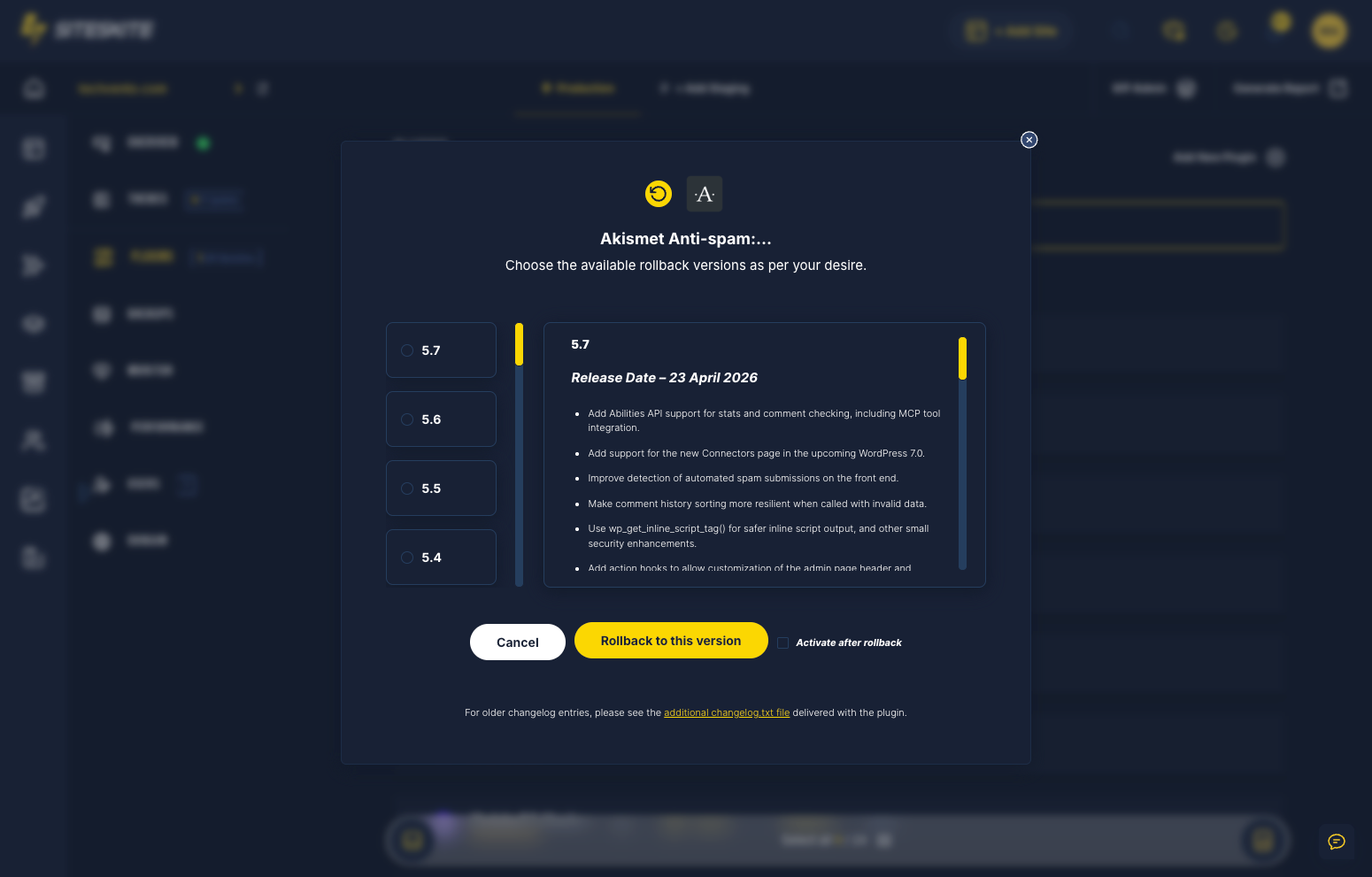
Plugin updates are the #1 cause of WordPress emergencies. SiteSkite rollback reverts plugins and themes to the last working version — without manual version hunting or FTP.
7-day trial · No credit card required
When the update was the incident
Production should never be the first test environment.
Manual rollback is too slow
Finding old ZIPs and version numbers wastes critical minutes during checkout or intake outages.
- Auto-updates break sites overnight.
- Compatibility unknown until live.
- WooCommerce payment plugins fail at peak hours.
Rollback is your undo button for WordPress.
One-click version revert
Select plugin, pick version, verify site, stage future updates.
- Rollback plugins and themes.
- Safe Mode if site is down.
- Sandbox before next deploy.
Revert fast. Stage next time.
Why this happens
Panic traffic deserves a calm, proven playbook — not forum roulette.
Auto-updates strike without warning
WordPress auto-updates can break production overnight.
Compatibility unknown until live
Staging skipped — production becomes the test.
Manual rollback is slow
Finding old ZIPs and version numbers wastes critical minutes.
Recovery workflow
Stabilize → diagnose → restore → prevent repeat.
Enable Safe Mode if needed
Regain access if site is down.
Select plugin rollback
Choose plugin and target version.
Verify site
Confirm front-end and admin work.
Sandbox future updates
Never skip staging again.
Rollback tools
Built for plugin emergencies.
Rollback Updates
Per-plugin version revert.
SiteSkite recovery tools
Built for the moment everything breaks.
Rollback saves
Commerce and agency incidents resolved same hour.
- Checkout restored after gateway plugin update.
- Agencies rollback one client without affecting portfolio batch.
WooCommerce payment gateway plugin update broke checkout at 9am peak.
Rollback on SiteSkite restored previous plugin version in minutes — sales resumed same hour.
“Rollback is our undo button for WordPress.”
Frequently asked questions
Site down right now?
Connect your first site in minutes. Sandbox, backups, monitoring, and recovery included on paid plans.