
Ship safely with Production & Staging
SiteSkite supports multi-environment site management within a single project — manage your live Production site and a separate Staging environment from one dashboard. Switch with one click, test changes safely, and deploy with confidence.
7-day trial · No credit card required
Why Production & Staging
Think of staging as your safe playground before the spotlight — test updates, designs, and features without risking your live users.
Safe deployments
Catch plugin conflicts, broken layouts, and performance issues before they reach your live site.
Clear separation
Production stays stable while staging evolves — no confusion between live and test environments.
Faster workflow
No manual cloning, separate logins, or external staging tools — both environments live in SiteSkite.
Better collaboration
Teams test and review on staging before pushing to Production — a professional WebOps workflow from one portal.
Project-based environments
Each linked site can be structured as a project containing Production (PRD) and Staging (STG) — organized, not scattered.
Production (PRD)
Your live, public website — the environment your visitors and clients see every day.
Staging (STG)
A separate testing environment for validating plugin updates, theme changes, content, and new features.
Projects view
In Projects View, each site appears as a project container with Production inside and an option to add or manage staging.
One-click switching
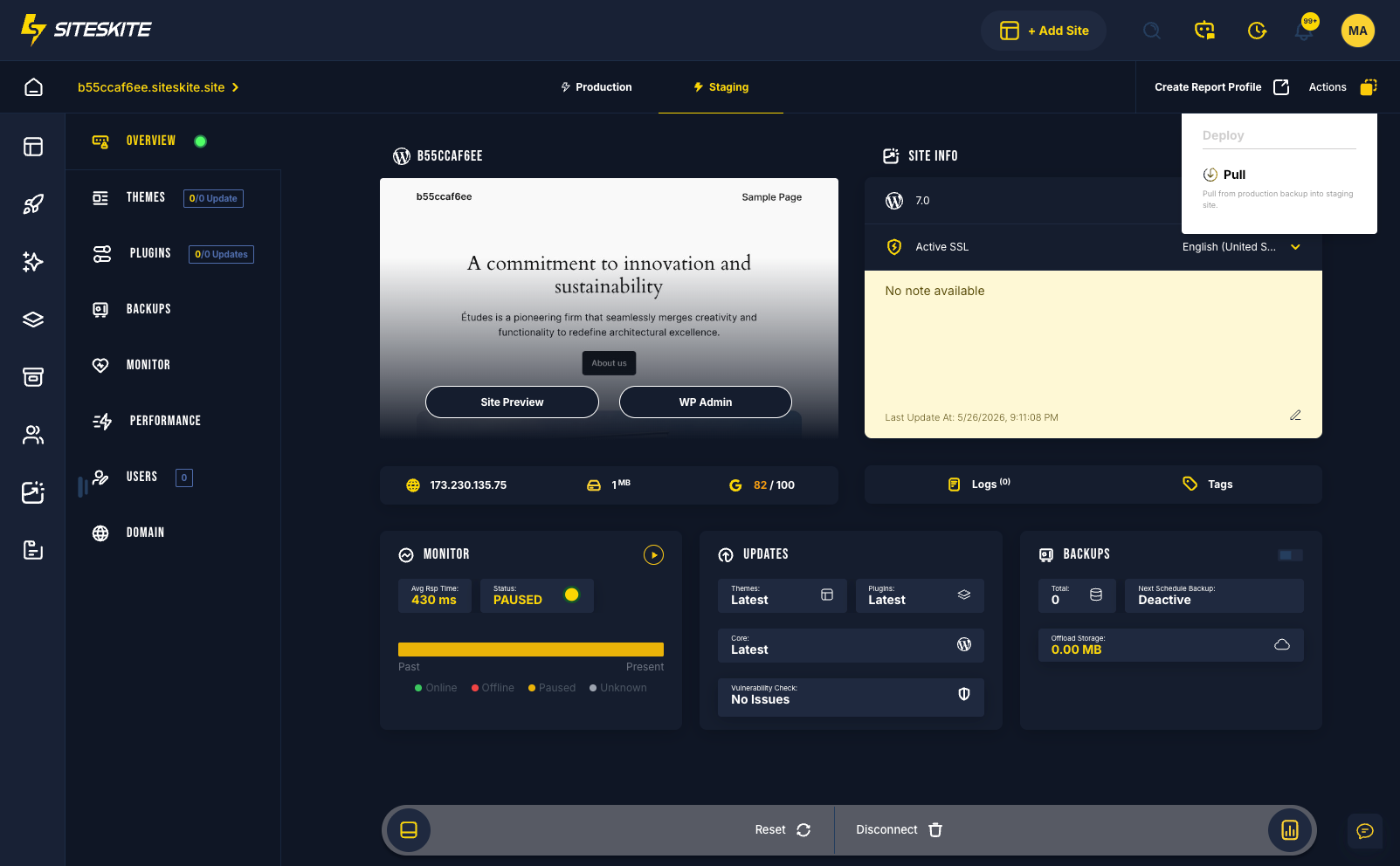
From Site Overview, switch between Production and Staging instantly — view environment-specific updates, backups, performance, and security data.
Environment-specific visibility
When you switch environments, SiteSkite shows data for that environment — not a blended view.
- Switch between Production and Staging with one click in Site Overview
- View plugin and theme updates per environment
- Monitor performance metrics separately for PRD and STG
- Check backup status per environment
- Review security and vulnerability risks in context
- Add staging with “+ Add Staging” — no manual server setup
- Manage both environments from one SiteSkite dashboard
When to use this feature
Ideal for agencies, teams, and anyone who runs frequent updates or deployments.
Multiple client websites
Give every client project a proper staging lane before changes go live on production.
Frequent updates
Test plugin, theme, and core updates on staging before Smart Engine bulk runs touch production.
Team environments
Developers and account managers review staging together before sign-off on production deploys.
Reduce downtime and risk
Validate fixes and features on STG — avoid broken live sites and emergency rollbacks.
Content and design changes
Preview new pages, layouts, or builder changes on staging before publishing to the live site.
Performance validation
Check Core Web Vitals and page speed on staging before pushing optimizations to production.
Real-world workflow
Build → Test → Validate → Go Live — structured deployment without surprises.
Add staging
Open your site project and click “+ Add Staging” — SiteSkite prepares the environment with no manual setup.
Build and test on STG
Create or update content, install plugins, and experiment on staging — production stays untouched.
Validate everything
Test functionality, performance, and security on staging — fix issues before go-live.
Backup before major changes
Run backups on production before deploying significant updates — pair staging validation with recovery readiness.
Push to Production
Deploy changes confidently to PRD knowing they were validated on staging — no broken live sites.
Best practices
Get the most from Production & Staging with habits that keep live sites stable.
Staging-first habits
Treat Production as read-mostly for risky work — staging is where experiments belong.
- Always test updates in Staging first
- Avoid making direct changes on Production when staging is available
- Keep staging updated with recent production data when possible
- Use backups before major production deployments
Before you go live
- Validate performance and Core Web Vitals on staging
- Review vulnerability detection alerts per environment
- Confirm plugin and theme updates on STG with rollback ready on PRD
- Document deploy notes in WP Canvas for team visibility
Production & Staging is included in your SiteSkite plan
Pair multi-environment management with automated backups, Smart Engine, rollback, monitoring, and Sandbox — one WebOps layer for every linked WordPress project.
7-day trial · No credit card required