
Your model. Your keys. Your WebOps.
SiteSkite BYO LLM lets you connect your own OpenAI or Anthropic API keys — or use SiteSkite Powered AI out of the box. Full control over models, billing, and AI behavior inside the same WordPress WebOps layer.
7-day trial · No credit card required
Why BYO LLM?
Agencies and developers who already run on OpenAI or Anthropic should not have to swap models or lose cost visibility. BYO LLM keeps AI inside SiteSkite — on your terms.
Full cost control
You are billed directly by your AI provider. Choose lighter models for routine tasks and scale up when you need deeper analysis.
Model flexibility
Pick GPT-4o, Claude Sonnet, Haiku, or future models as your workflow evolves — without waiting on platform defaults.
Custom workflows
Tailor AI behavior to agency delivery, dev ops, or client reporting while SiteSkite handles permissions and tool execution.
Two ways to power AI in SiteSkite
Start with zero setup, or connect your own provider when you need full control.
SiteSkite Powered AI
No setup required. SiteSkite-managed models, ready instantly — billing handled by SiteSkite. Ideal for plug-and-play AI in your dashboard.
BYO AI model
Connect your own provider with your API key. Choose the model, control usage limits, and pay your provider directly.
Supported AI providers
Connect the providers you already use. More integrations may be added over time.
ChatGPT (OpenAI API)
Use models like GPT-4o with your OpenAI API key — add a display name, model, and optional custom base URL.
Claude (Anthropic API)
Connect Claude Sonnet or Haiku with your Anthropic API key for monitoring, insights, and dashboard AI actions.
How to enable BYO LLM
Four steps in Settings → AI Assistant → Provider Settings.
Open AI settings
In the SiteSkite dashboard, go to Settings → AI Assistant → Provider Settings.
Select BYO AI model
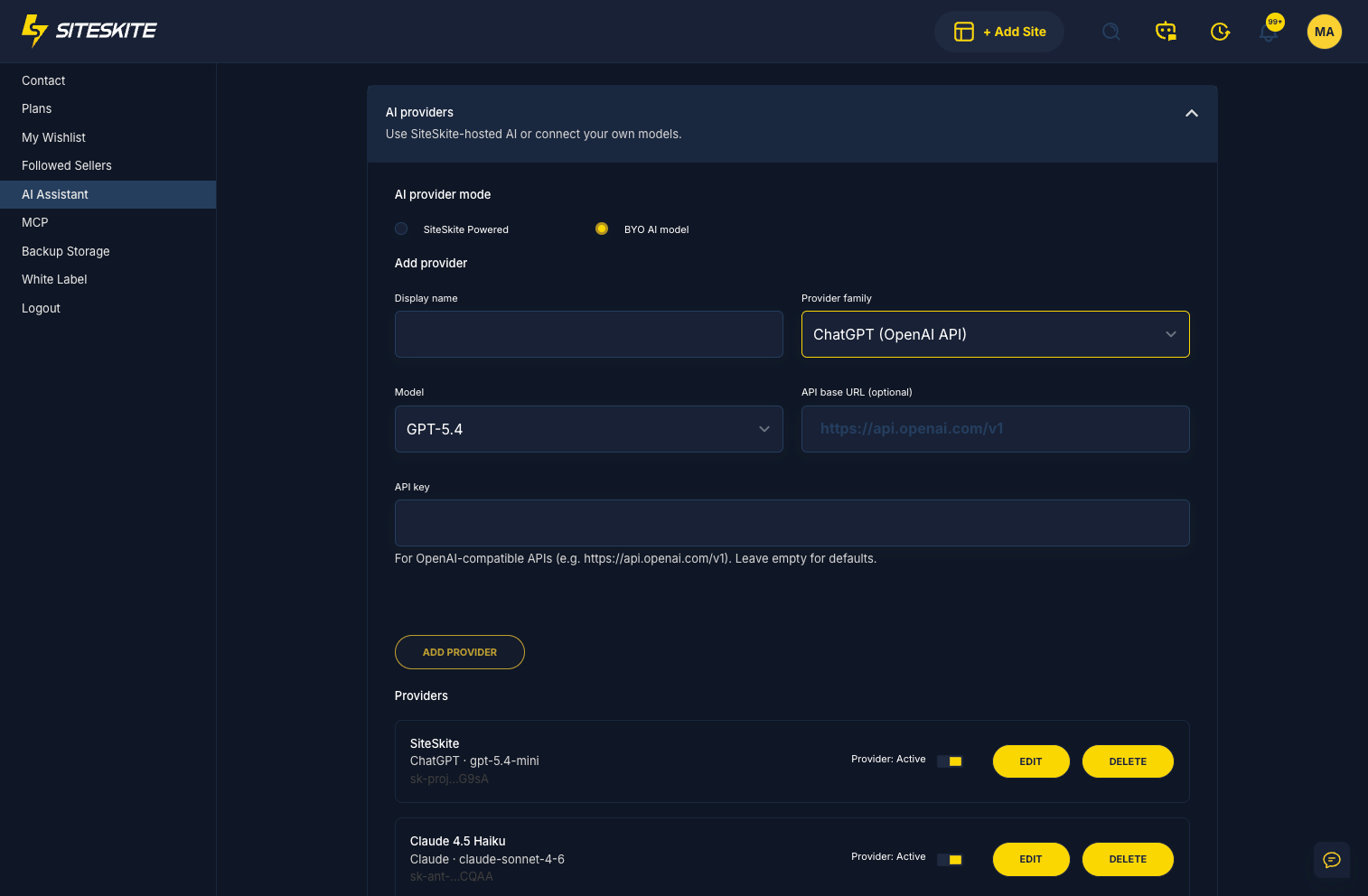
Under AI Provider Mode, choose BYO AI model instead of SiteSkite Powered AI.
Add your provider
Enter display name, provider family (OpenAI or Anthropic), model, API key, and optional base URL.
Save and activate
Click Add Provider, toggle it active, and enable Dashboard AI Actions when you want automation in the UI.
What you get with BYO LLM
SiteSkite sends requests with your key, executes tools with your permissions, and keeps keys encrypted — never exposed in full.
Direct provider billing
Pay OpenAI or Anthropic on your own account — no opaque AI markup inside SiteSkite.
Pick the right model
Match model tier to task: fast Haiku or mini models for bulk checks, Sonnet or GPT-4o for deeper work.
Dashboard AI actions
Toggle Provider Dashboard AI Actions on for automation and insights — or off to reduce usage while keeping health scores visible.
Works with MCP
Combine BYO LLM with SiteSkite MCP so external AI tools operate on the same WebOps layer as your dashboard.
Explore MCPSecure, flexible, and under your control
API keys are encrypted and never returned in full. Remove or rotate keys anytime from Provider Settings.
Security & data handling
SiteSkite uses your session for tool execution. Keys stay private, encrypted, and revocable.
- API keys securely stored and encrypted
- Keys never returned in full to the client
- Remove or rotate keys anytime
- Dashboard AI Actions toggle controls usage and cost
Use BYO AI when you
- Already use OpenAI or Anthropic in your stack
- Want control over AI billing and model selection
- Need specific models or custom API endpoints
- Run AI-heavy WebOps workflows across many sites
BYO LLM is included in your SiteSkite plan
Use SiteSkite Powered AI for simplicity, or connect your own provider for full control — on the same WebOps layer as backups, staging, and monitoring.
7-day trial · No credit card required