
Every WP user, one centralized control panel
SiteSkite WP User Management lets you view, add, edit, and remove WordPress users on linked sites — plus secure one-click admin login — without hunting credentials or opening wp-admin on every site.
7-day trial · No credit card required
Why WP User Management?
Agencies managing client WordPress sites should not share admin passwords or log into wp-admin site by site just to add an editor or remove a freelancer.
Saves time
No more credential hunts, multiple dashboards, or password resets — manage users from the SiteSkite portal on any linked site.
Enhances security
Control access through SiteSkite instead of sharing admin logins. Remove or disable users who no longer need access.
Built for agencies
Onboard editors, developers, and clients quickly — and audit user roles across your portfolio from one interface.
What WP User Management does
Full WordPress user control from Linked Site → Users — roles, details, login, and removal.
View all WordPress users
See every user on a connected site with roles — Administrator, Editor, Author, Contributor, and Subscriber.
Add new users
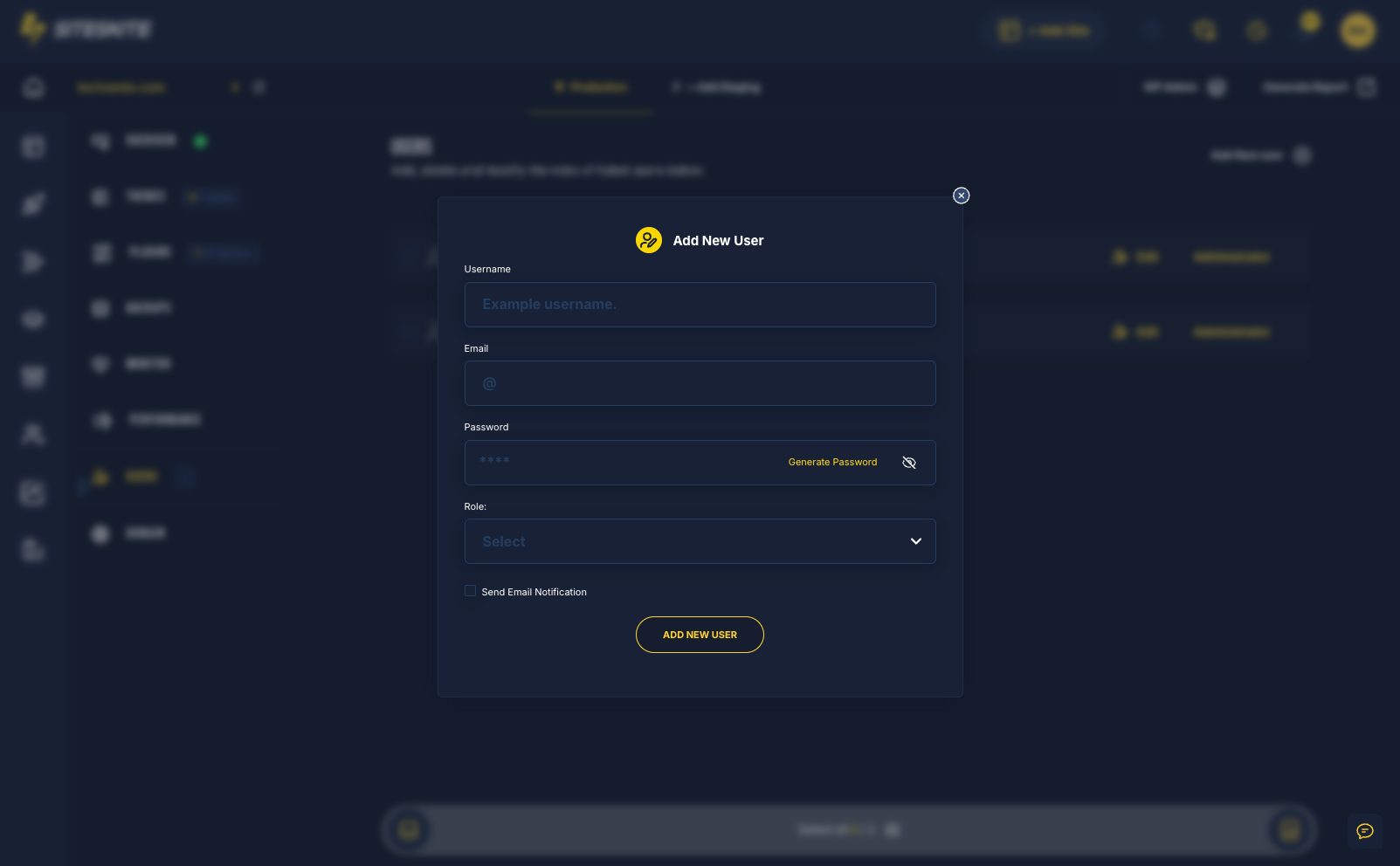
Create users from SiteSkite with username, email, role, and temporary password — no wp-admin login required.
Edit existing users
Change roles instantly — promote Editor to Administrator, update email, or adjust display name when projects shift.
Secure one-click login
Log into WordPress backend with one click when you have Administrator access — SiteSkite handles auth via encrypted API, no exposed passwords.
Remove or disable users
Safely remove or block accounts that no longer need access — keep client sites secure after contractors roll off.
When to use it
Common agency and operator workflows where centralized user control pays off immediately.
Add a developer
Grant a contractor Administrator or Editor access for a specific project — revoke when done.
Give client dashboard access
Create a client user with the right role without sharing your own wp-admin credentials.
Update roles mid-project
Promote or demote users as responsibilities change — without logging into each site admin.
Audit & clean up
Remove outdated accounts, disable unused users, and review roles across linked sites.
How to manage WordPress users
Open any linked site in SiteSkite — the Users tab is your control center.
Open a linked site
From the SiteSkite dashboard, select the WordPress site you want to manage.
Go to Users
Navigate to the Users tab to see all WordPress accounts, roles, and actions available for that site.
Add, edit, or remove
Create new users, update roles and details, or remove access — all without opening wp-admin manually.
One-click admin login
When you need the full WordPress backend, use secure single-click login — authentication handled through SiteSkite.
Secure, centralized, portfolio-ready
WP User Management runs on linked sites through the SiteSkite Link Plugin — same secure connection as backups and updates.
Security by design
Reduce password sharing and accidental role mistakes with a clean, centralized user interface.
- One-click login uses secure API encryption — passwords not exposed
- Remove or disable users instantly when access should end
- Role changes without juggling multiple wp-admin sessions
- Requires an active linked site connection
Ideal when you
- Manage WordPress users across multiple client sites
- Onboard editors, developers, or clients without sharing admin logins
- Need quick wp-admin access without typing credentials
- Want to audit and clean up user accounts from one portal
WP User Management is included in your SiteSkite plan
Control WordPress users on every linked site — alongside Teams & Users, backups, monitoring, and the rest of your WebOps stack.
7-day trial · No credit card required