
AUTOMATION · CONTROL · RELIABILITY · ENVIRONMENTS
The Engine Behind Your WebOps
WordPress portfolios become fragile when every site carries its own habits — different update routines, backup gaps, staging workarounds. SiteSkite is structured in four layers because stability is an architectural question: repetition must not drift, authority must stay visible, failure must have room to recover, and change must happen before it reaches production.
7-day trial · No credit card required
Repeatable work, less drift
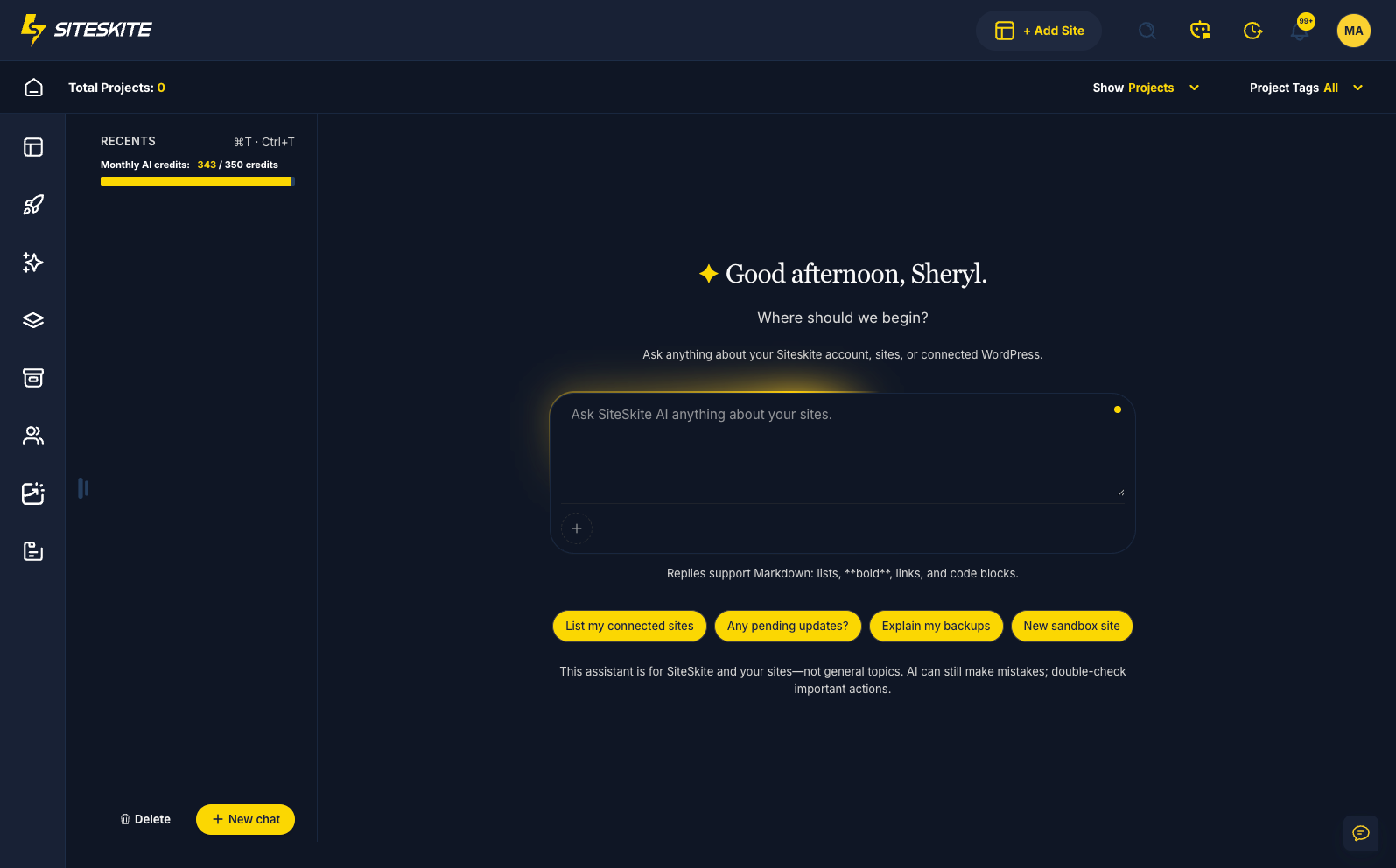
Four layers, one operational model
Each layer answers a different question about running WordPress at scale. Together they keep sites predictable — not by adding more tools, but by giving each kind of work a proper place.
Automation
Repetition across dozens of sites is where inconsistency starts. This layer exists so routine work runs the same way every time — reducing drift before it becomes an outage.
Control
When access, decisions, and visibility scatter across logins and tabs, accountability breaks down. This layer keeps authority coherent across the portfolio you manage.
Reliability
Sites will break. Updates fail, plugins conflict, traffic spikes. This layer is the margin that lets you recover without panic — backups, rollback paths, and early warning before clients notice.
Environments
Production should not be where experiments happen. This layer separates where change is allowed from what clients depend on — staging, isolation, and movement between hosts on your terms.
Core features
The layers above describe how SiteSkite is designed to think. What follows is the concrete capability set inside each one — documented here for teams who need the full detail.
Automation & Intelligence Layer
Reduce manual work, increase speed
Automate updates, plugin stacks, and repeatable environments across every linked site. Bring your own LLM, connect MCP in Cursor or Claude, and let Smart Engine handle bulk operations with rollback safety built in.
- MCP and BYO LLM for AI-driven site operations
- Smart Engine bulk updates with rollback visibility
- WP Essentials one-click plugin stacks
- Blueprints for instant pre-configured environments

AI Site Studio
Describe your site, refine in Feedback mode, set identity and design system, then publish in one click to a connected WordPress site or download a portable ZIP — each project on its own AI sandbox.
Learn more
MCP Support
Connect Claude, ChatGPT, or Cursor to WordPress — free on one site, no account. Grow into backups, sandboxes, and multi-site care when you link SiteSkite.
Learn more
BYO LLM
Bring your own LLM to SiteSkite. You can use your own LLM to manage your site via AI model. Making it easier to manage your site via AI.
Learn more
Smart Engine
Automate and manage updates across all your Linked Sites with ease. Bulk update, rollback, add, or delete plugins and themes in one go—saving hours of manual work and reducing the risk of errors. Stay in control, ensure consistency, and keep client sites running smoothly.
Learn more
WP Essentials
Install must-have plugins like SEO, security, performance, and forms in seconds. With one click, apply your preferred stack to any site—perfect for speeding up new builds or standardizing client projects.
Learn more
Blueprints
Launch Pre-Configured WordPress Environments Instantly. Blueprints allow you to save a fully configured website setup including themes, plugins, demo content, and settings. With a single click, you can launch new sandbox sites based on these templates. Perfect for agencies, developers, and product teams who need repeatable environments for testing, demonstrations, or rapid project setup.
Learn moreControl Layer
Operate everything from one place
Operate every client site from one dashboard — without juggling logins, sharing credentials, or losing track of who changed what. Teams, roles, reports, Google search and traffic data, and WP Canvas keep operators in control.
- Linked Sites portfolio management
- Teams, roles, and WP user management
- 1-click admin login and white-label plugin
- Google Search Console and GA4 on every linked site
- Automated reports and smart notifications
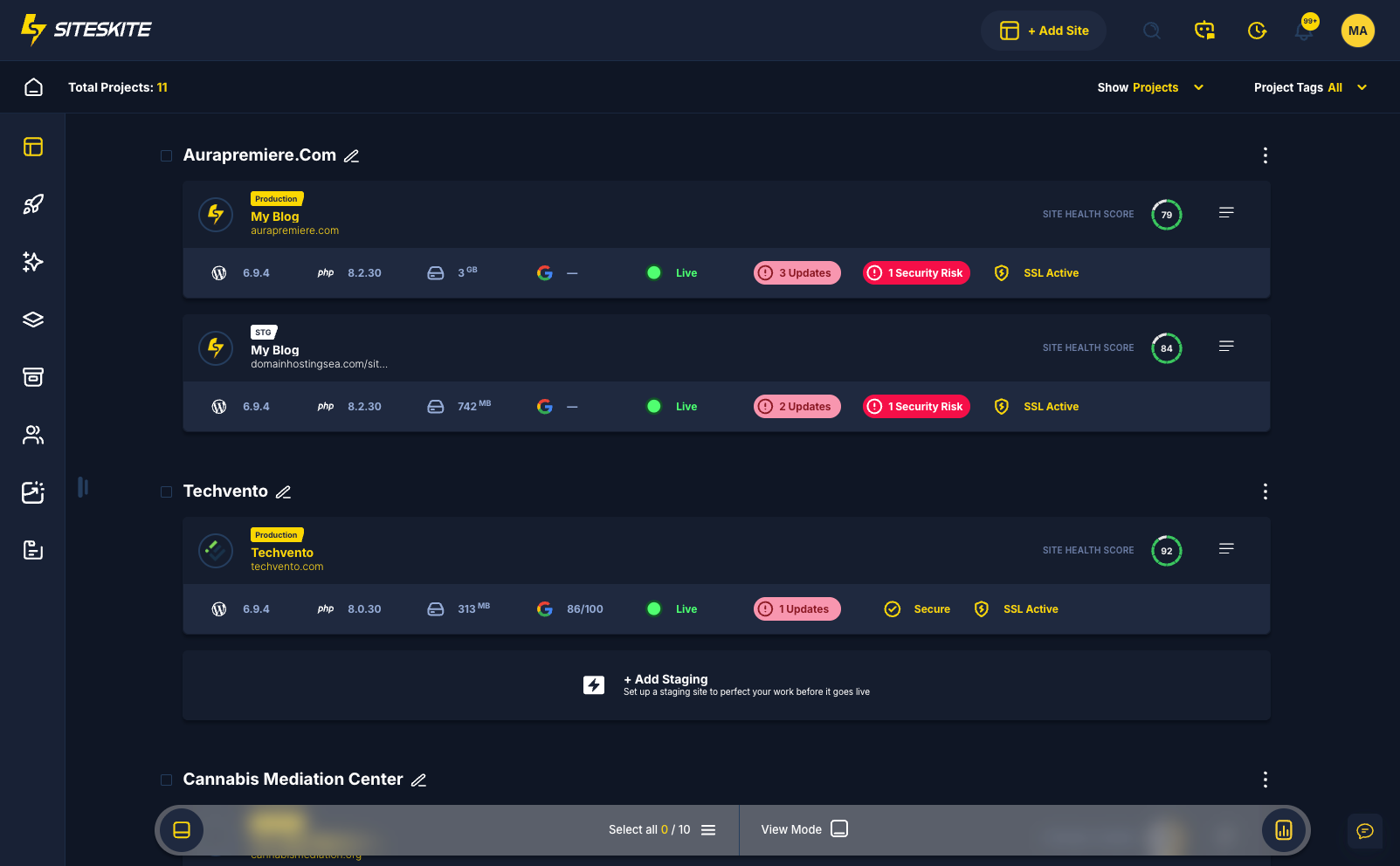

Linked Sites
Bring all your WordPress websites together in one dashboard. Update plugins, themes, and WordPress core with a single click, and save hours managing client sites. No more juggling logins or endless browser tabs.
Learn more
Teams & Users
Work seamlessly with your team or clients. Assign roles with tailored permissions—Admin, Team Member, or Client—so everyone gets access to exactly what they need, without sharing your SiteSkite credentials.
Learn more
WP User Management
Centralized User Control Across All Your WordPress Sites. Create, edit, or remove WordPress users without logging into each site. Reset passwords, adjust roles, and manage permissions effortlessly from one unified dashboard.
Learn more
1-Click Admin Login
Access your WordPress sites instantly with a single click. SiteSkite provides a secure access to your sites WP dashboard. No need to remember passwords or navigate through multiple login screens—just click, enter, and go.
Learn more
White Label Plugin
Rebrand SiteSkite's plugin with your own agency name and logo. Deliver a fully branded experience that strengthens your agency's identity while keeping your tools invisible.
Learn more
Reports
Automated Website Maintenance Reports for Clients and Teams. Generate clear, professional reports that summarize updates, backups, performance checks, and maintenance activities performed on your WordPress sites. Reports help demonstrate the value of your ongoing work, keep clients informed, and provide transparency across all managed websites from a single dashboard.
Learn more
Search Console
See Google Search clicks, impressions, CTR, and rankings for every linked site — plus SEO quick wins that are one tweak away from page one. Read-only, no Google Cloud project, and ready for white-label reports.
Learn more
Google Analytics
GA4 users, sessions, engagement, traffic channels, and top pages beside the updates and backups that moved them. One Google sign-in covers Analytics and Search Console for every client site.
Learn more
Notifications
Stay informed with Security Alerts for vulnerabilities and site changes — email recipients you control, Slack delivery, Core/Plugins/Themes scope, plus instant portal toasts for maintenance you run in SiteSkite.
Learn more
Pretty Logs
View PHP error logs, WordPress debug logs, or point to a custom log path — all formatted for readability inside SiteSkite. Syntax highlighting, line numbers, and quick copy actions help you track what is happening on each site without leaving the dashboard or digging through raw server files.
Learn more
WP Canvas
Take full control of your WordPress sites with advanced native tools. Manage site indexing, debug settings, maintenance mode, search & replace, permalinks, site language, database resets, error logs, and much more from one central dashboard. Empower your team to handle technical tweaks efficiently.
Learn moreReliability Layer (SRE)
Keep everything stable, recoverable, and secure
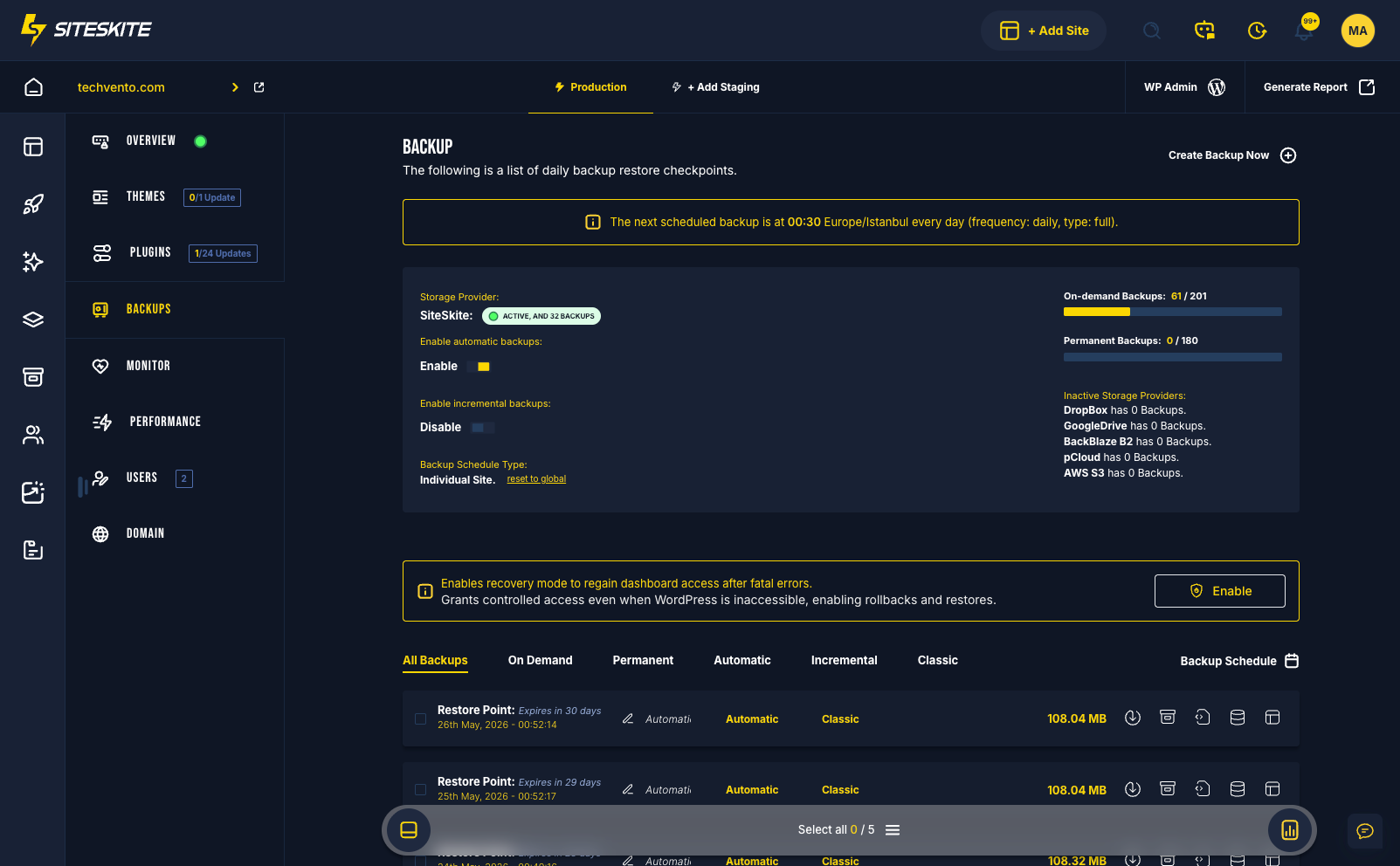
Backups you can trust, recovery when sites break, and security visibility before incidents spread. Classic and incremental backups, rollback updates, Safe Mode recovery, and vulnerability detection work together as your SRE layer.
- Automated classic and incremental backups
- Rollback updates and Safe Mode recovery
- Vulnerability detection across core, themes, and plugins
- Core Web Vitals and page speed monitoring

Automated Backups
Take control of your website's data security with our automated backup solution. You have the flexibility to set your preferred backup frequency. Plus, you can easily download your backups to local storage for added peace of mind.
Learn more
Classic & Incremental Backups
Classic and incremental backups are two different types of backups that are used to backup your website. Classic backups are full backups of your website, while incremental backups are backups of the changes that have been made to your website since the last backup. SiteSkite supports both types of backups.
Learn more
Rollback Updates
Update with confidence knowing you can roll back any plugin, theme, or WordPress core update. If something goes wrong, SiteSkite restores your site to its previous working state instantly—no downtime, no stress.
Learn more
Safe Mode
Instantly regain control when a WordPress site breaks. SiteSkite Recovery Mode restores temporary dashboard access when fatal errors, plugin conflicts, or code issues lock you out of wp-admin. Safely disable problematic plugins, roll back updates, or restore backups directly from the SiteSkite portal—without needing FTP, hosting access, or server intervention.
Learn more
Vulnerability Detection
SiteSkite proactively scans your WordPress core, themes, and plugins against trusted security databases to identify risks before they spread. Detect outdated or vulnerable components, receive instant alerts, and take action quickly to keep your website protected, stable, and uncompromised.
Learn more
Page Speed Performance
SiteSkite gives you a complete performance command center designed to help you optimize speed, stability, and user experience across. Track Core Web Vitals, page load times, LCP, FID, CLS, TTFB, and other critical performance metrics—all in real-time.
Learn more
Monitor
Track online/offline status, uptime history, response times, SSL validity, domain expiration, and downtime incidents for every linked WordPress site. Use Bulk Monitoring for a bird’s-eye portfolio view, pause during maintenance, and control downtime notifications with global delay settings.
Learn moreInfrastructure & Environments Layer
How your sites are structured and deployed
Structure how sites are built, tested, and deployed. Launch sandboxes in seconds, clone from backups, manage production and staging pairs, migrate hosts, and store backups in your own cloud.
- Instant sandbox sites and clone-from-backup workflows
- Production and staging environment switching
- One-click migration to other hosts
- Bring your own cloud storage for backups
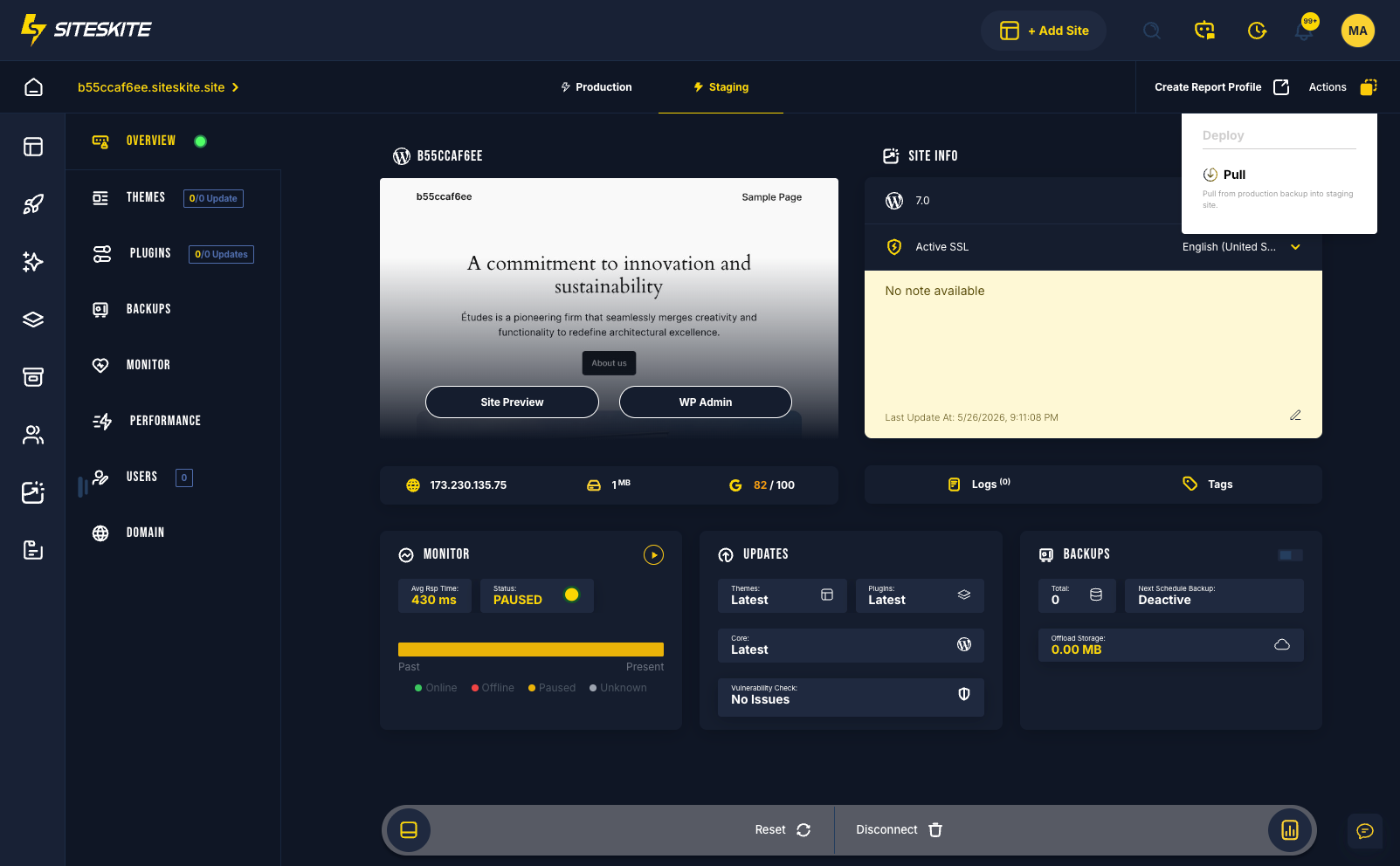

Sandbox Site
Launch a fresh WordPress environment in just one second. Perfect for quick experiments, plugin testing, theme exploration, or trying ideas from scratch—without touching any real site. A clean, empty playground built for safe testing.
Learn more
Create Sandbox from Backup
Create a full working clone of your website directly from an existing backup. Ideal for reviewing changes, troubleshooting issues, testing updates, or validating fixes on an exact replica of your live site—while keeping your production environment completely safe.
Learn more
Production / Staging Environment
A complete production and staging environment management. You can easily switch between production and staging environments with a single click. Perfect for testing new features, plugins, or themes before deploying to production.
Learn more
Migrate to Other Host
Move WordPress between hosts with Transfer — Import a backup into this site or Transfer to another destination. Backup-powered restore, destination wizard, and live progress. No FTP required.
Learn more
Bring Your Own Cloud Storage
Backup and restore sites directly to your preferred cloud provider. Whether it's Google Drive or Dropbox. SiteSkite gives you full control of your backup strategy with flexible, secure storage options.
Learn moreOne workflow, instead of many disconnected tools
Connect sites once, set your guardrails, and let SiteSkite run the operational layer while you focus on delivery.
Connect sites
Install the SiteSkite plugin on your WordPress sites and link them to your workspace with a single API key.
Set rules
Define update behavior, backup schedules, monitoring frequency, team permissions, and notification preferences.
Automate safely
Updates, backups, monitoring, and staging workflows run continuously — with rollbacks and sandboxes when you need guardrails.
Verify and review
Logs, histories, performance metrics, and alerts give visibility without noise — so you catch issues before clients do.
Report and communicate
Maintenance work is documented automatically. Share white-label reports that prove value and support renewals.
Need help switching from another platform?
Moving from ManageWP, MainWP, WP Remote, or another dashboard does not have to slow your team down. We help qualifying agencies connect sites in batches, align backups and monitoring, and map workflows to SiteSkite — white-glove migration included.
Free · Hands-on migration support for qualifying agency accounts