
Ship WordPress changes with ops discipline
Developers need staging, logs, rollbacks, and automation — not another page builder. SiteSkite is the WebOps layer: sandbox in seconds, MCP for Cursor and Claude, BYO LLM, and recovery when custom code breaks production.
7-day trial · No credit card required
Why wp-admin alone is not enough
Client servers do not come with staging, logs, and rollback by default.
Context-switching kills billable hours
SSH log hunts. No standard staging. AI without site context.
- Logs scattered across hosts.
- Every client has different staging.
- Generic AI cannot operate linked sites.
WebOps layer belongs between your IDE and client production.
Ship with ops discipline
Sandbox → MCP → logs → recover.
- Instant Sandbox.
- MCP for Cursor/Claude.
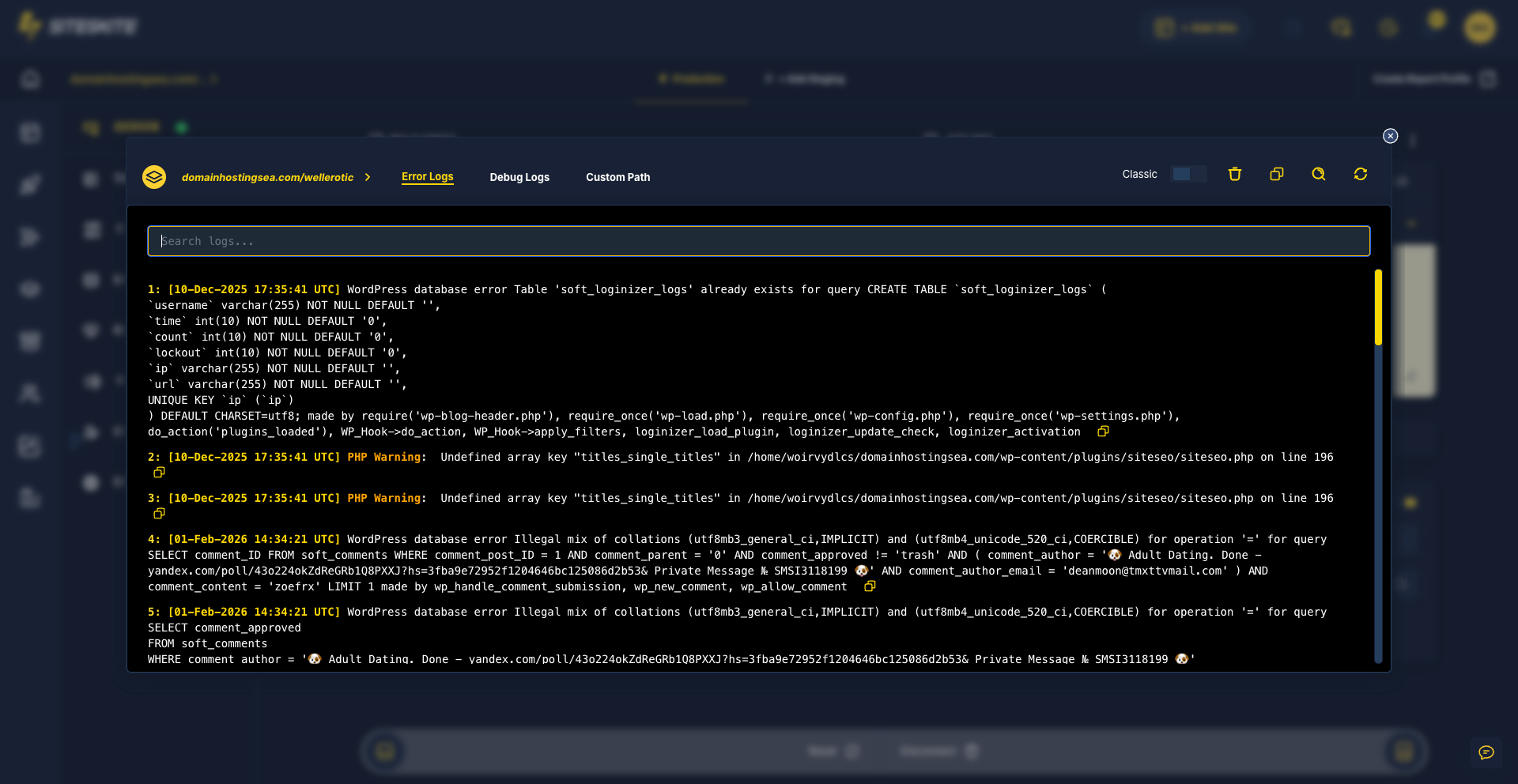
- Pretty Logs.
- Safe Mode recovery.
Code locally. Operate the portfolio from SiteSkite.
Why developers outgrow wp-admin alone
Local Docker stacks do not help when the incident is on a client server at 11pm.
Logs scattered across hosts
SSH and cPanel log hunts waste billable debugging time.
No standard staging path
Every client has a different staging story — or none at all.
AI without site context
Generic ChatGPT cannot push updates or read your portfolio — MCP can.
Developer workflow
Prototype → sandbox → deploy → monitor → recover.
Spin Sandbox
Fresh WordPress in one second for plugin and theme experiments.
Connect MCP
Manage linked sites from Cursor, Claude, or ChatGPT via SiteSkite MCP.
Debug with Pretty Logs
Readable PHP and WordPress logs without leaving the portal.
Recover with Safe Mode
Disable conflicting plugins when fatal errors lock wp-admin.
Built for technical operators
Automation and recovery — not drag-and-drop page building.
A dev shop spent hours per week SSH-ing into client servers for log files and staging clones.
Pretty Logs, Sandbox, and MCP cut context-switching — updates and debug sessions run from one workspace.
“Finally WebOps that respects how developers actually work.”
Frequently asked questions
Ready to run WordPress like an operation?
Connect your first site in minutes. Sandbox, backups, monitoring, and recovery included on paid plans.