
Migrate WordPress from cPanel without downtime or full-site export hell
cPanel backups and manual exports are slow and error-prone. SiteSkite migrates WordPress from backup to your new host — whether leaving shared cPanel or consolidating portfolios.
7-day trial · No credit card required
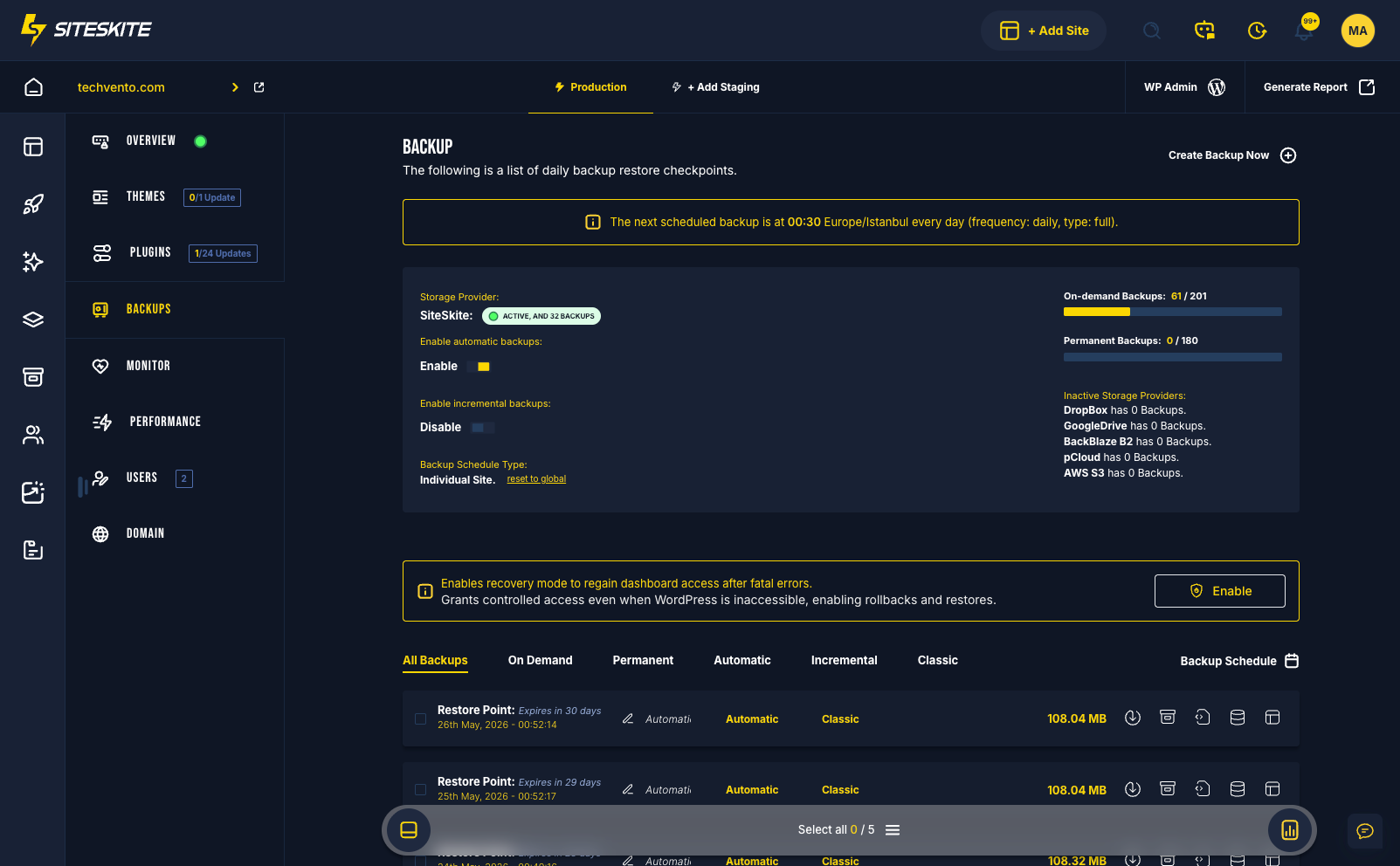
cPanel WordPress migration without the ZIP marathon
Migrating WordPress from cPanel should not mean downloading multi-GB archives, fighting path issues, and hoping phpMyAdmin cooperates. SiteSkite uses backup-based migration through the connector.
Follow the checklist: link the site → on-demand backup → restore on the new host → validate in Sandbox → cut DNS. Prefer the short checklist guide if you want a printable path first.
Why cPanel WordPress migrations fail more than they should
The tooling feels familiar. The failure modes are expensive — downtime, broken media, and clients asking why forms stopped working.
Full-site exports are a tax on your time
cPanel backup zips and Duplicator-style exports were built for convenience — not for large WordPress sites, WooCommerce catalogs, or agency portfolios with tight deadlines.
- Multi-gigabyte downloads time out in the browser or fail mid-upload on the new server.
- Subdirectory and add-on domain installs break when paths and site URLs are wrong after import.
- Moving one client site on a shared reseller account risks touching neighbors you did not intend to move.
- Manual SQL exports skip uploads, break serialized data, or leave media libraries pointing at the old host.
- You discover backup gaps on migration day — when revenue and reputation are already on the line.
Every hour spent on export gymnastics is an hour you are not validating checkout, forms, or SEO on the new stack.
Backup migration without the cPanel zip roulette
SiteSkite backs up WordPress at the application layer — files, database, plugins, and uploads — then restores that package to any destination with the connector installed.
- Link the cPanel WordPress site — no full-account archive required.
- On-demand backup captures a clean restore point before you touch DNS.
- Restore to the new host in a guided migrate workflow — not manual FTP archaeology.
- Validate the full clone in Sandbox: forms, permalinks, admin login, commerce flows.
- Migrate client sites one at a time from shared reseller accounts — zero cross-site impact.
- Keep BYO cloud copies off cPanel so backups survive account cancellation.
Link → backup → restore → validate → cutover. The same playbook every time — whether the site is 500 MB or 50 GB.
cPanel migration pain
Full-site archives are heavy, slow, and fragile.
Huge zip exports
Download/upload cycles fail on large sites.
Path and URL issues
Search-replace nightmares after import.
Multi-site portfolios on one cPanel
Moving one client without affecting others is tricky.
cPanel export vs SiteSkite backup migration
What changes when migration is a restore workflow — not a zip file gamble.
| Approach | Manual / legacy | SiteSkite |
|---|---|---|
| Preparation | Full cPanel or Duplicator export | Connector backup from live site |
| Large sites | Timeouts and partial archives | Incremental backup strategy available |
| Multi-site accounts | Risky all-or-nothing exports | Per-site linked migration |
| Pre-cutover QA | Hope production works after DNS | Full Sandbox validation first |
| Rollback path | Rebuild or restore old account | Source stays live until DNS switch |
| Operator skill | FTP + SQL + search-replace | Portal-guided restore workflow |
cPanel exit workflow
Link site → backup → restore on new host.
Each step is designed to keep cPanel production online until the destination is proven. Do not cancel the old account until BirdEye confirms healthy traffic on the new host.
Link cPanel WordPress
Connect site to SiteSkite.
Install the SiteSkite connector on the WordPress install inside cPanel — whether it is the primary domain, an add-on, or a subdirectory. No need to export the entire hosting account.
On-demand backup
Capture clean restore point.
Run a full backup immediately before migration day. Pause major content changes if possible. Verify the restore point appears in your Backups tab.
Restore on new host
Migrate to destination WordPress.
Install WordPress and SiteSkite on the new provider, then restore files and database from your backup. SiteSkite handles the package transfer — not manual SQL imports.
Decommission old account
After validation — cancel cPanel.
Validate in Sandbox, lower DNS TTL, switch records, monitor for 48 hours, then cancel cPanel. Keep BYO backup copies for your records.
Why agencies migrate off cPanel with SiteSkite
Reseller accounts and shared hosting made sense at ten clients. At thirty, manual migration is a margin killer.
One site at a time
Move clients individually from shared cPanel without exporting the whole account or risking neighbor sites.
Sandbox before DNS
Clients never see a half-migrated site. You sign off on forms, SSL, and checkout in isolation first.
Portable backups
BYO cloud storage means backup archives outlive the cPanel account — useful for compliance and repeat migrations.
Repeatable playbook
The same backup-restore-cutover workflow scales from one brochure site to WooCommerce stores.
Relevant features
Leave cPanel without leaving data behind.
What teams report after leaving cPanel
Less migration panic. More predictable cutovers.
- Agencies migrate reseller clients individually — without full-account export risk.
- Site owners escape slow shared hosting without hiring emergency consultants.
- WooCommerce stores validate checkout on the new host before DNS switches.
- Backup archives live in BYO cloud storage — independent of the cPanel account.
- The same playbook works on the next host change — not a one-off heroic effort.
An agency moved 8 client sites off a shared cPanel reseller account.
Batch backup migrations on SiteSkite moved clients individually without cross-site impact.
“We escaped cPanel one site at a time — safely.”
Skip the cPanel zip download
SiteSkite captures WordPress at the application layer — plugins, uploads, database, and theme files — without requiring a full hosting account export.
That means faster preparation, fewer corrupt archives, and a restore point you can test in Sandbox before migration day.
Rehearse the migration before DNS moves
Restore to Sandbox or the destination host and walk through permalinks, contact forms, WooCommerce checkout, and wp-admin login.
Your cPanel site keeps serving traffic while you prove the new stack works — the foundation of near-zero-downtime cutover.
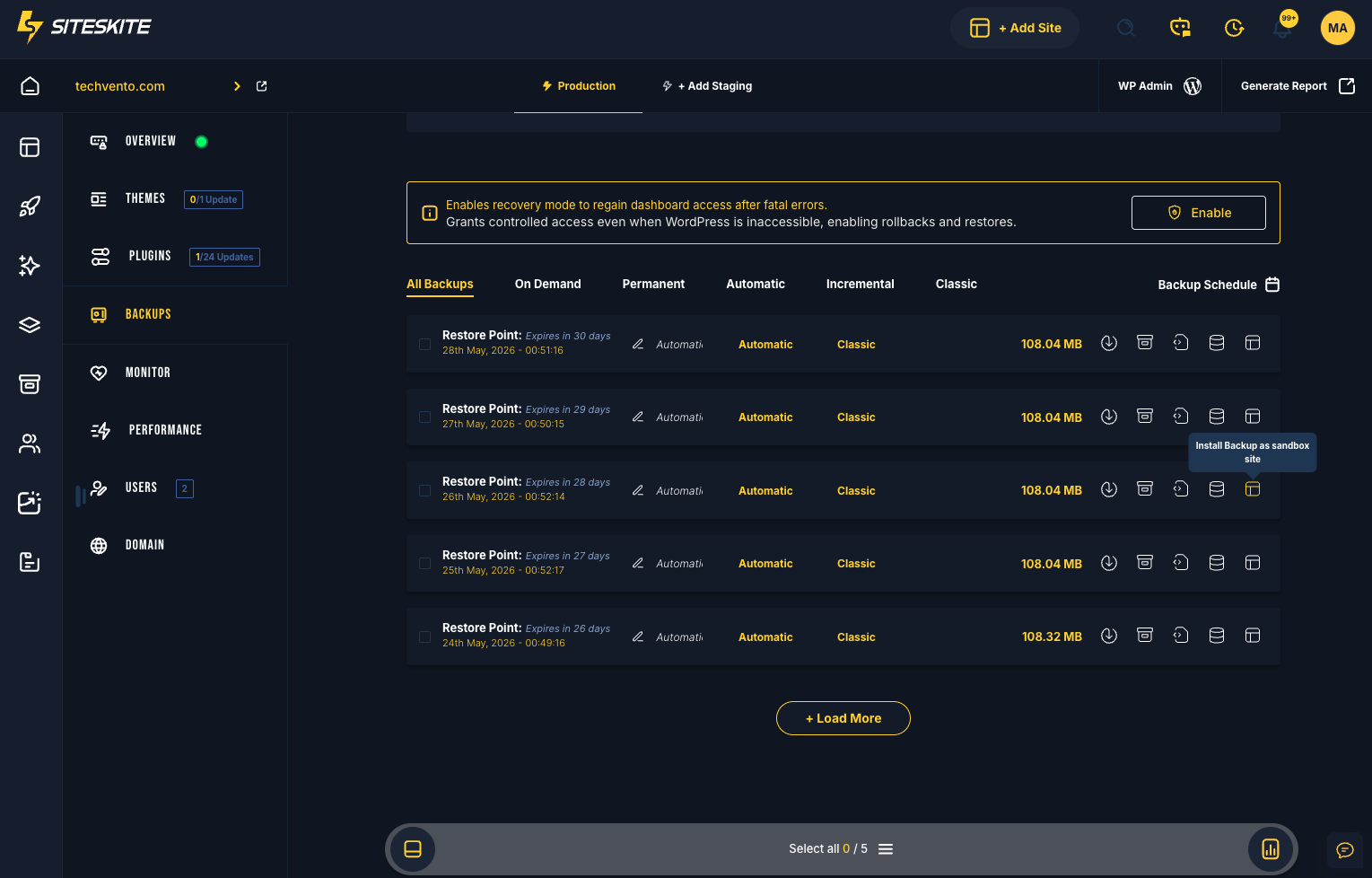
Ready to migrate off cPanel?
Connect your site, take a backup, and restore to your new host with a workflow built for real migrations — not zip file roulette.
Start your free trialFrequently asked questions
Ready to run WordPress like an operation?
Connect your first site in minutes. Sandbox, backups, monitoring, and recovery included on paid plans.