
Launch
From one sentence to a real WordPress site you can publish to your host
AI Site Studio plans, designs, and builds a WordPress-native website while you watch — then you refine in Feedback mode and publish or export a portable ZIP.
5 min read
Starting a WordPress site still costs too much of the week: blank themes, page-builder lock-in, or AI demos that look great until you try to edit them in wp-admin. AI Site Studio is built for the other path — a real WordPress site from one clear idea, then publish to the host you already run.
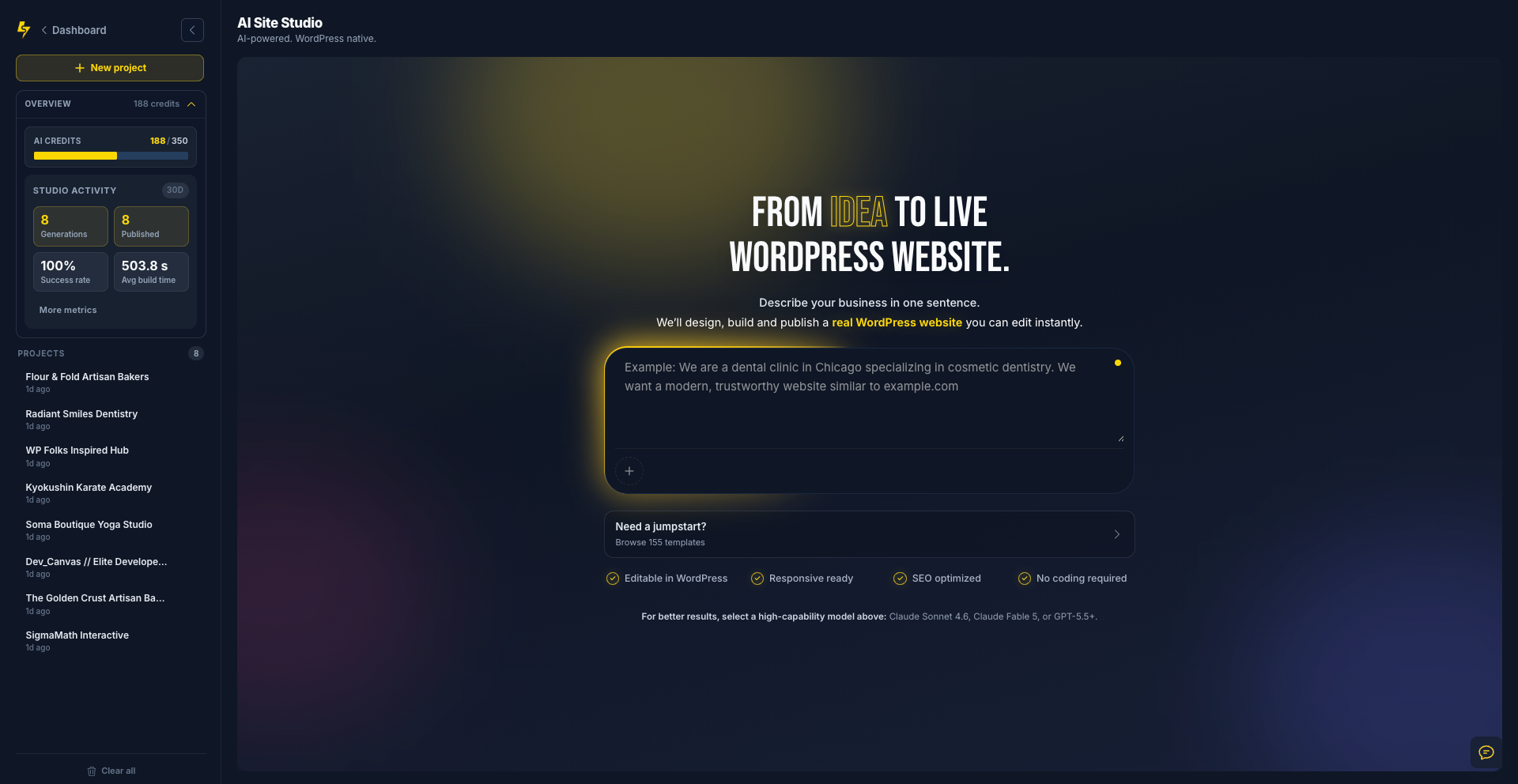
Clients don’t buy wireframes — they buy a site they can click
Agencies lose days turning a brief into something presentable — then lose more days making it editable, responsive, and ready for production.
Studio collapses that first build into one workflow you can watch and refine: describe your business in one sentence and start.
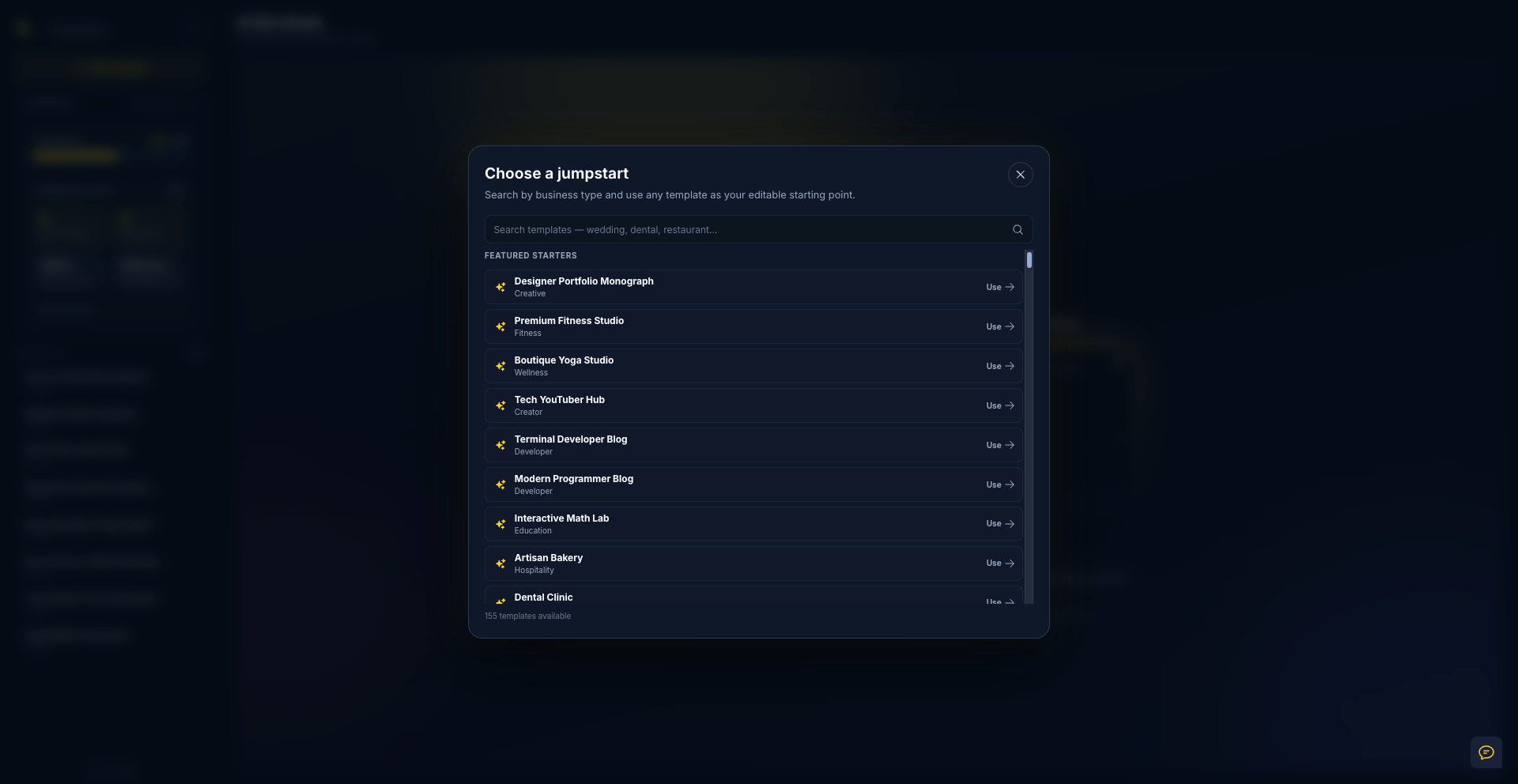
Start with a proven direction — not an empty prompt
Browse 155 searchable jumpstarts for businesses, portfolios, creators, restaurants, studios, and more. Pick one as your editable starting point, then add your details.
You still get a WordPress-native site — editable content, responsive layout, SEO-ready structure — with your choice of AI model and a dedicated sandbox for the build.
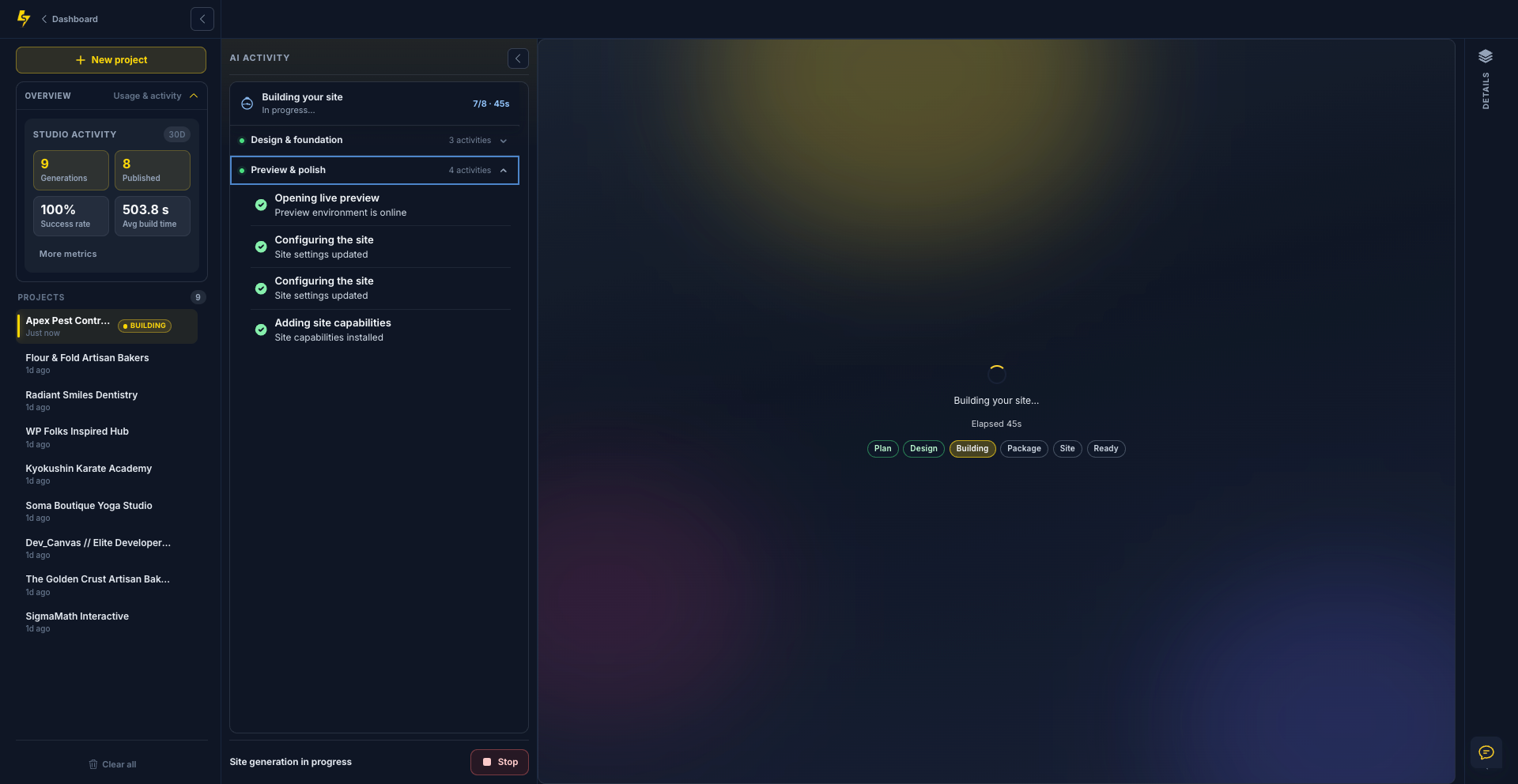
See the work behind your website
Follow each completed and in-progress task from design foundations to theme files and final visual checks — you always know what is happening and when the preview is ready.
Describe it → choose the brain → watch it build → review the real site → refine in Feedback mode and go live.
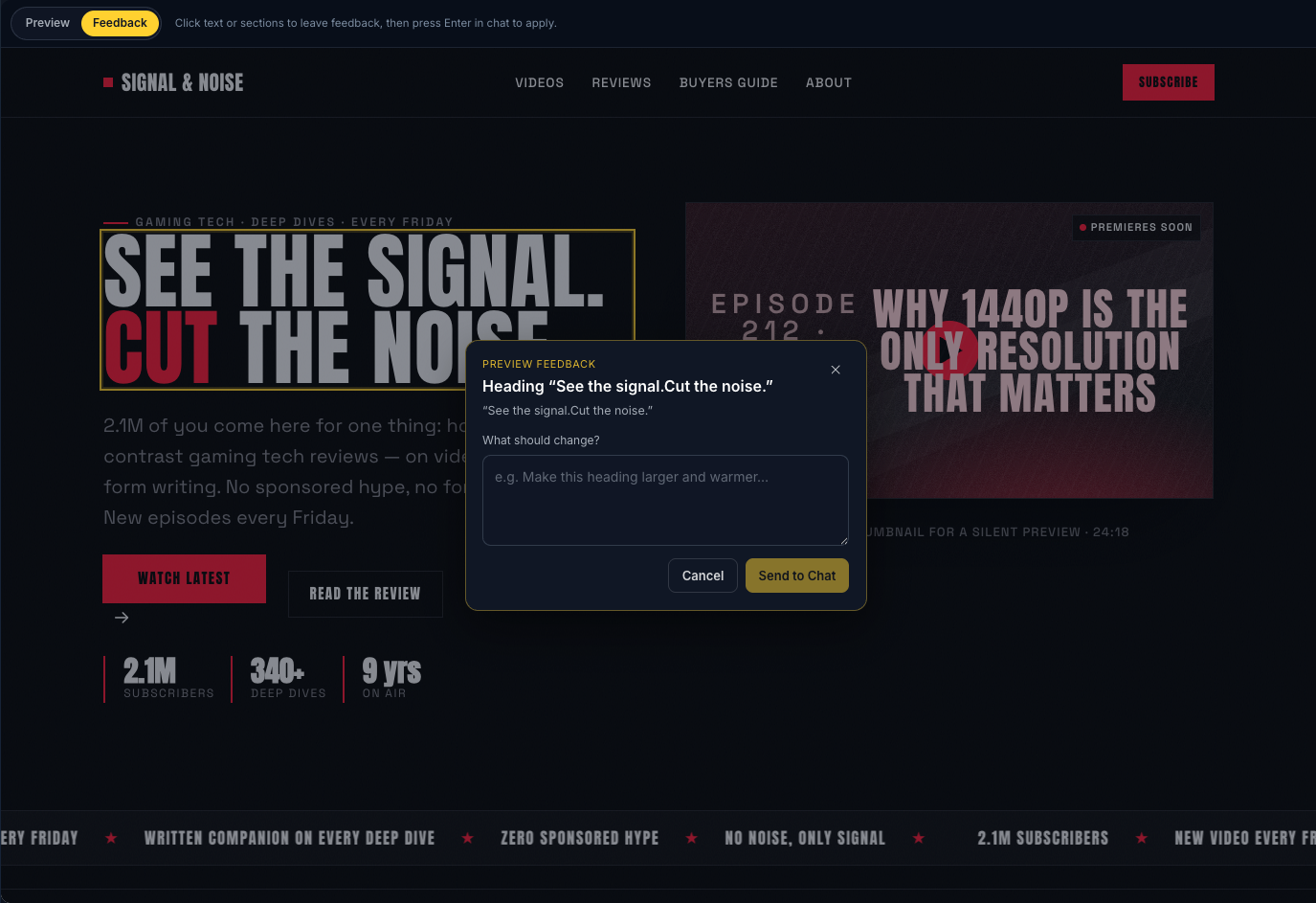
Click a section. Describe the change. Send to Chat.
Switch to Feedback mode in the preview, click any text or section, and tell the AI what should change — larger heading, warmer tone, new layout — in plain language.
SiteSkite carries the page context into Chat so you refine the site through conversation without leaving the creative flow.
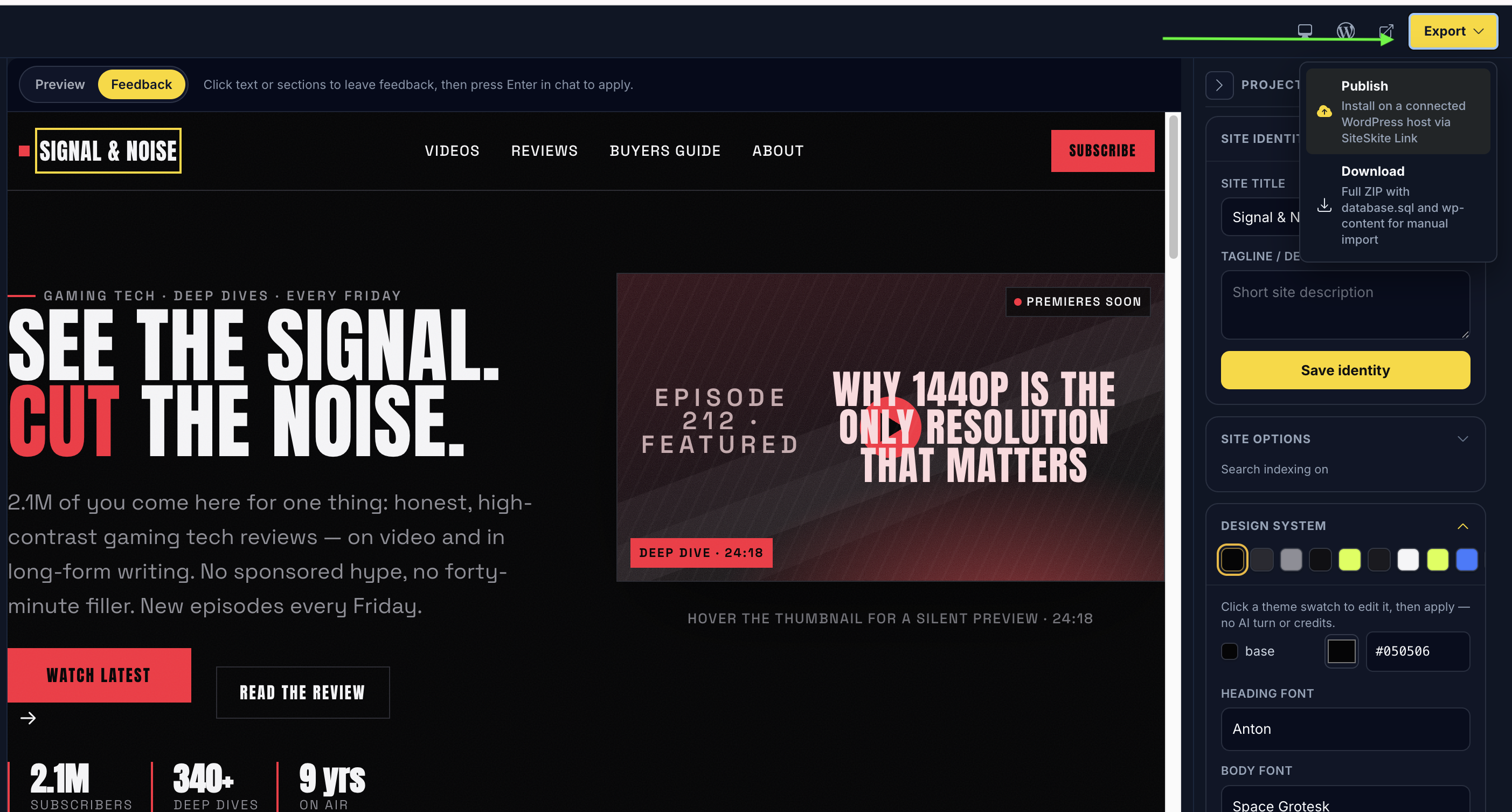
One click to your host — or download the full site as ZIP
Studio does not trap the site in a proprietary canvas. You get a custom WordPress theme you can edit.
Publish through SiteSkite Link to any connected host, or export database.sql + wp-content for import, backup, or client handoff.
How it fits WebOps
Once published, the site joins the same operational surface you already use — linked sites, backups, Monitor, sandboxes. You can also kick off Studio builds from ChatGPT, Claude, or Cursor through SiteSkite MCP when that is how your team prefers to start.
Build in Studio. Own the host. Run the site like every other WordPress property in your portal.
Ready to build?
Open AI Site Studio, describe your business in one sentence, and take a real WordPress site from preview to your host.
Build with AI Site StudioMore from SiteSkite
Recent launches and platform updates worth reading next.