
Product update
Proof clients can see, demos that collect leads — all under your brand
Reports rebuilt around the work you actually do, sent from your own domain. Blueprints that give every visitor a live copy of your build and hand you the lead. White label with a separate brand for every agency you serve.
7 min read
Why this release
When maintenance goes well, clients see nothing. Updates run, backups land, the site stays up, and the invoice arrives for a month that looked empty. That silence is what makes a retainer start to look optional.
The same problem shows up before a deal is signed. A prospect who can’t try your build imagines it instead, and a demo with no form leaves you with interest you can’t measure and nobody to follow up with.
This release is about making the work visible and keeping your name on it. Reports show what you did, in the client’s language, from your own domain. Blueprints let people try your build and tell you who they are. White label puts the right brand on every site, even when you work for several agencies at once.
Reports that go out on their own
Reports now has its own page, with Schedule, Activity and Custom Domains in a side menu. Each report shows the sites it covers, whether every site is up to date, its schedule and when it goes out next.
Weekly reports go out every Sunday, monthly on the 1st, quarterly at the start of each quarter. Reports are built in the background, so a large portfolio never holds up the page. Send one now with a click, open any site’s latest PDF, or select several reports and delete them together.
Seven steps, seven layouts, seven languages
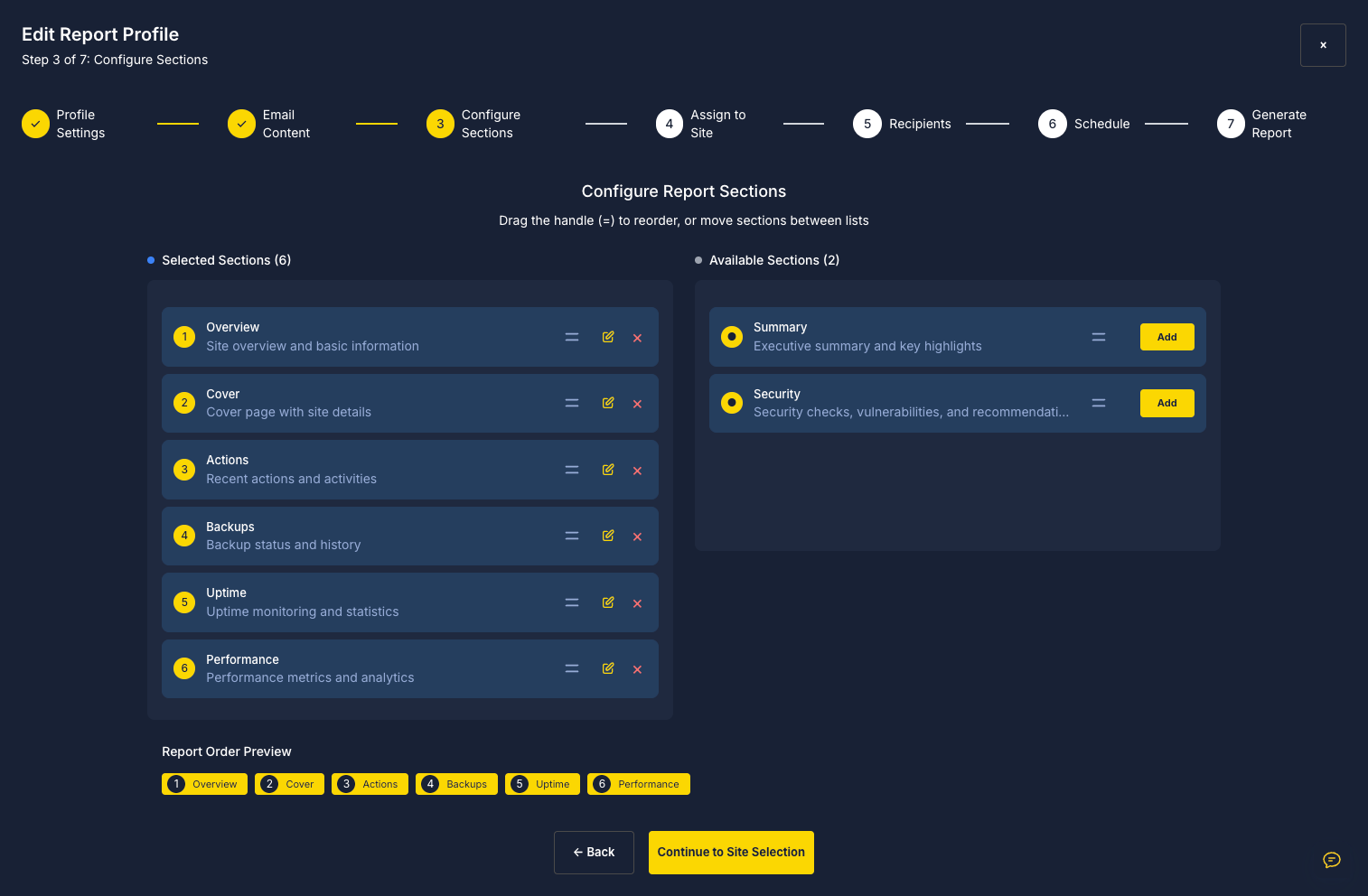
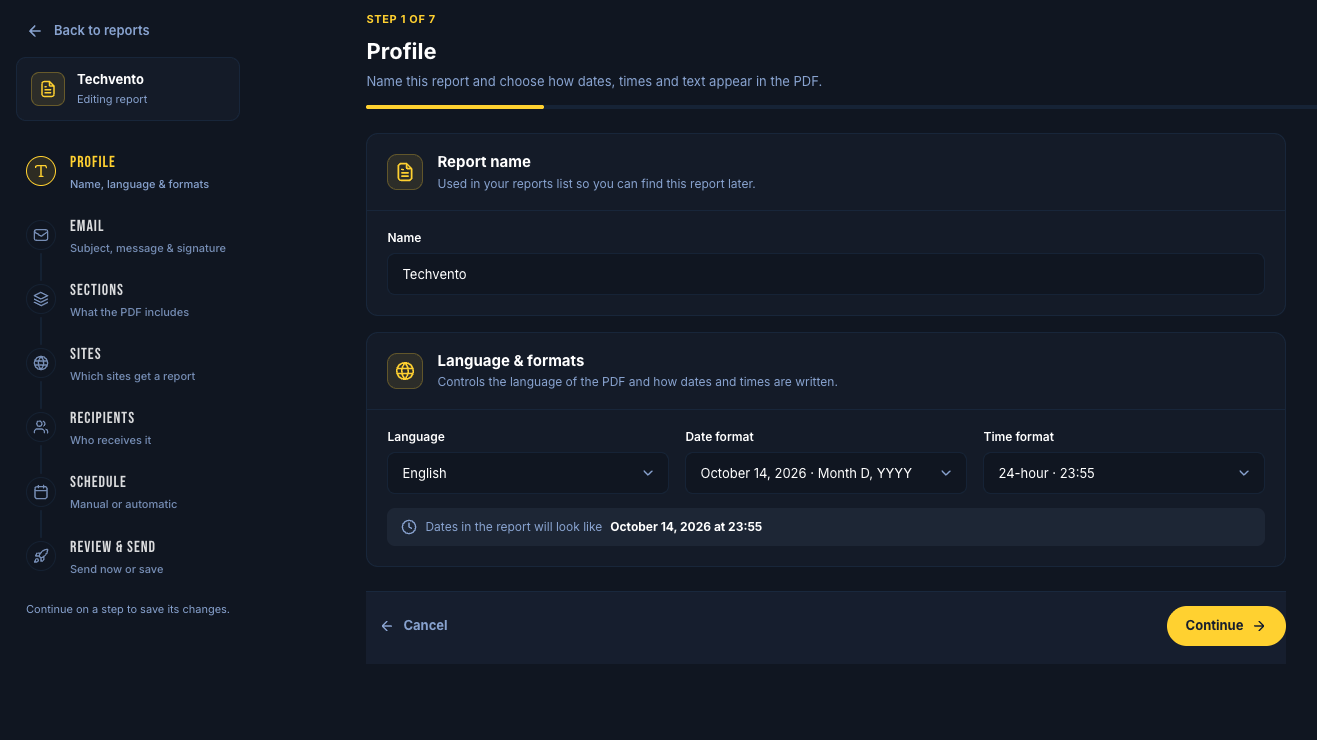
The popup is gone. A seven-step builder walks you through the name, the email, the sections, the sites, the recipients, the schedule and a final review. Start from Standard, Comprehensive, Minimal, Client summary, Technical audit, All sites, or a blank layout.
Print in English, Spanish, French, German, Italian, Dutch or Turkish, with the date and time format your client is used to. Merge fields like [[Firstname]], [[Uptime Percentage]] and [[Last Backup Date]] fill in each site’s details, and the PDF can carry the client’s domain in its name.
Show the work automation can’t see
The checkout you tested, the form you rebuilt, the plugin conflict you fixed at 11 pm. None of it shows up anywhere unless you write it down.
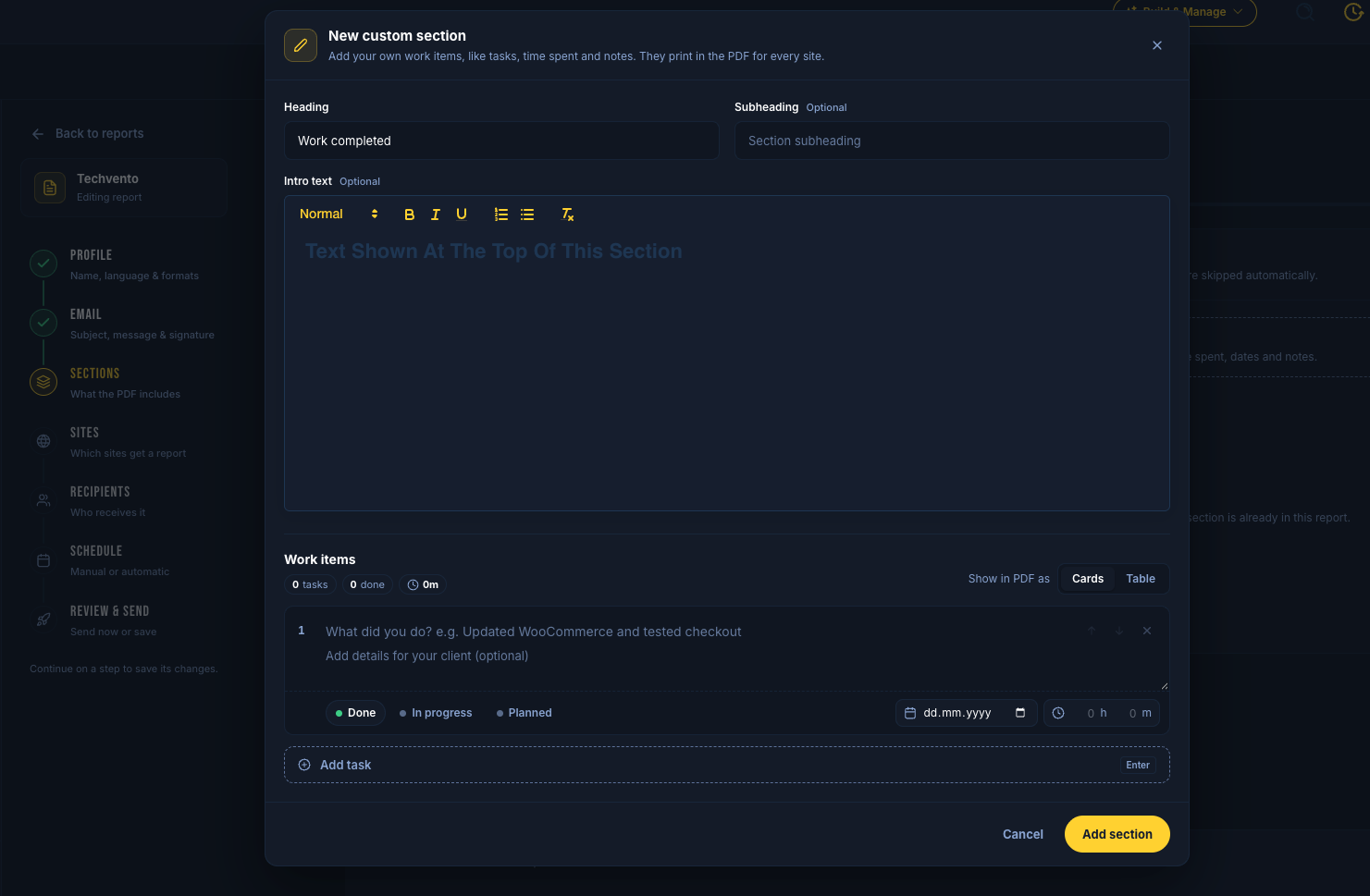
Add your own sections and list each task with a status (Done, In progress or Planned), a date and the time you spent. SiteSkite totals the tasks and hours and prints them as cards or a table, right beside the backups, uptime, security, speed and Google data it pulls in for you. Your client sees where the retainer went, and you have the record to bill for it.
Answer “did they get it?” in one look
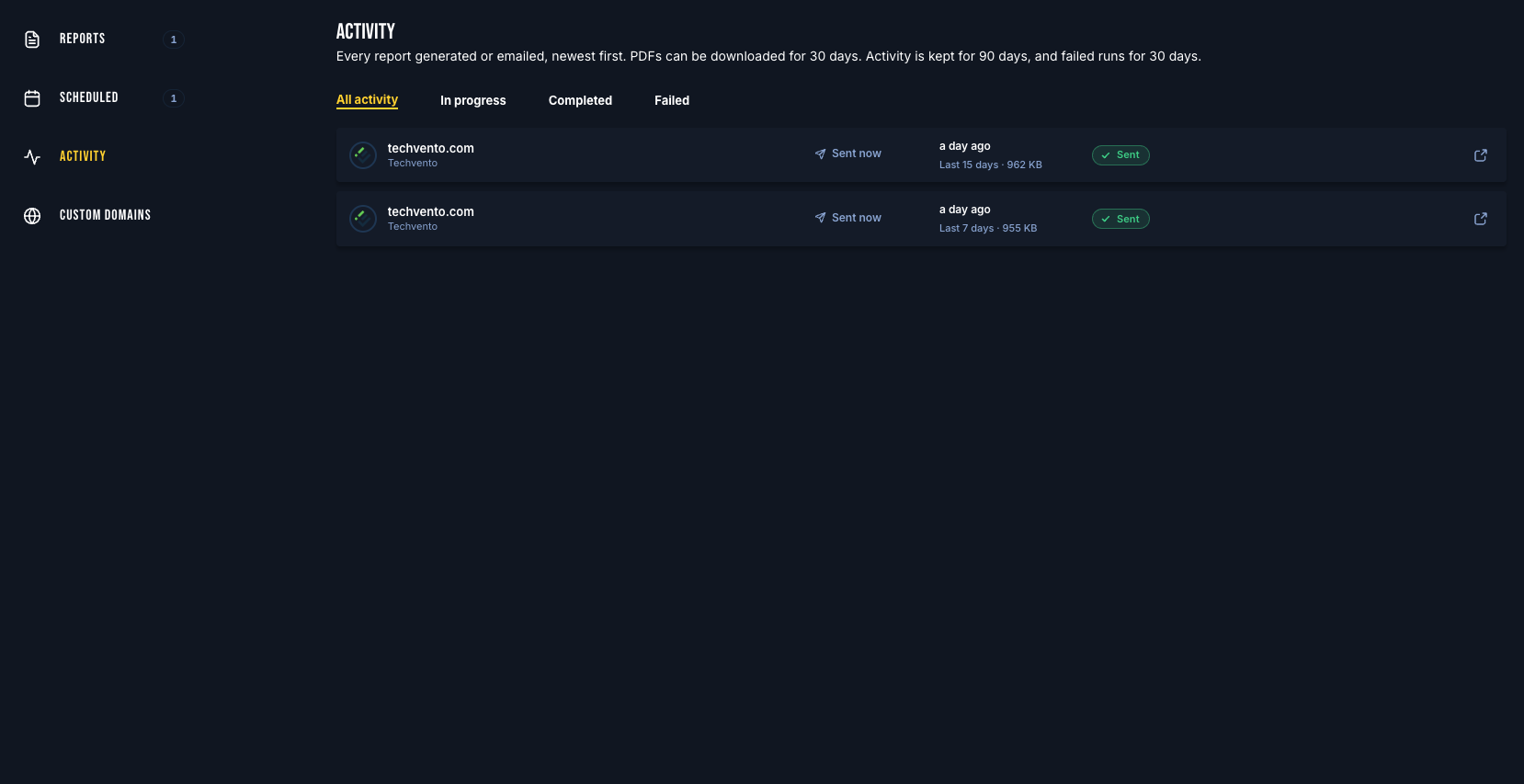
Every report generated or emailed is logged with the site, the period it covers and the PDF size. Filter by in progress, completed or failed, and retry a failed send in one click.
Download any PDF for 30 days, and keep the history for 90. Turn on “Send me a copy” and every report lands in your inbox too, so you see exactly what your client sees.
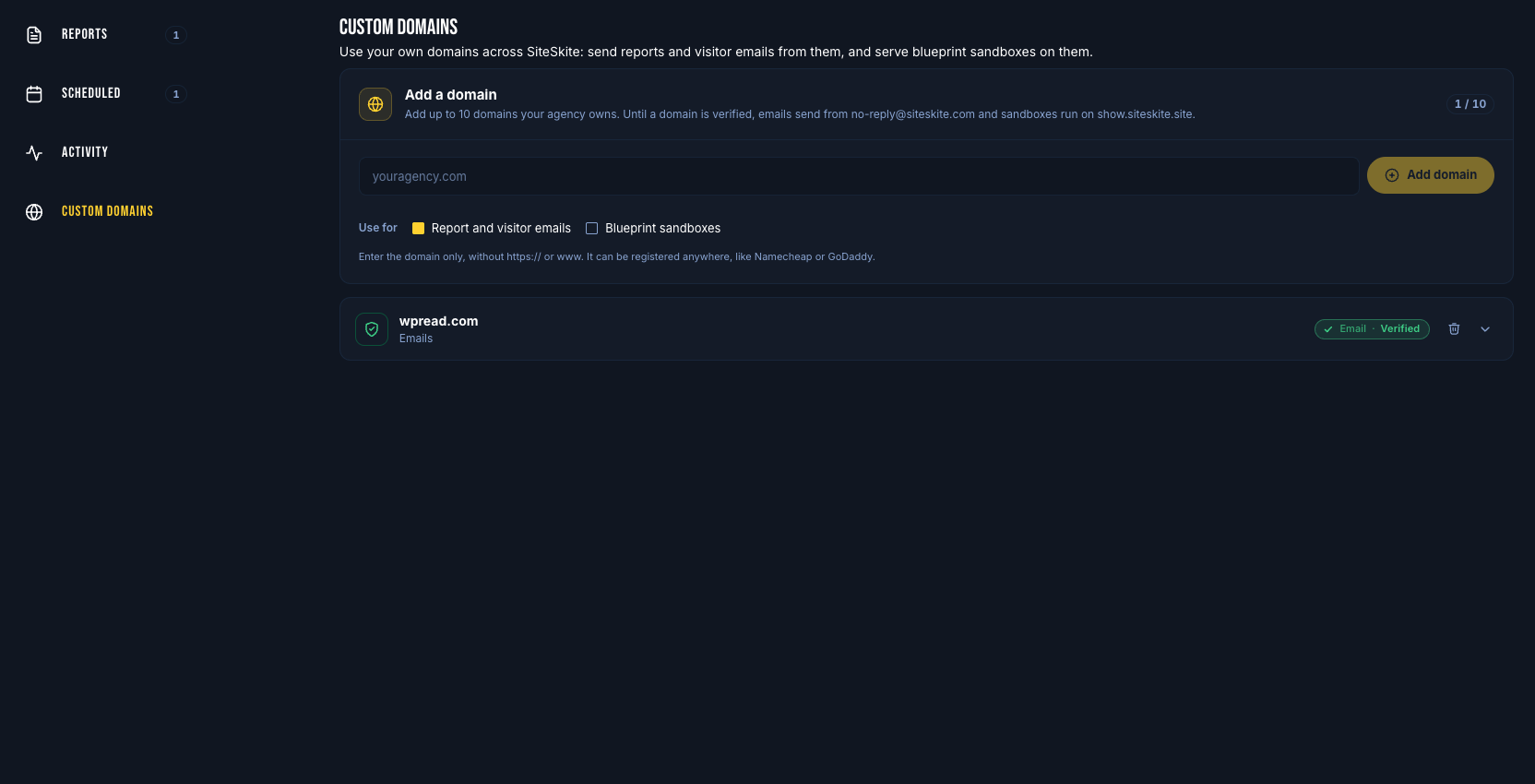
Send from your own domain, not ours
Sending Domains is now Custom Domains in Settings, one place for up to 10 domains you own. Verify one and reports arrive from an address like reports@youragency.com, with your sender name, logo, signature and cover colours. Each report can send from a different domain, so every client hears from the brand they know.
Until a domain is verified, reports keep sending from SiteSkite’s address, so a slow DNS change never stops a report going out. Custom domains are part of the paid plans, alongside white label.
Your best build, one link away
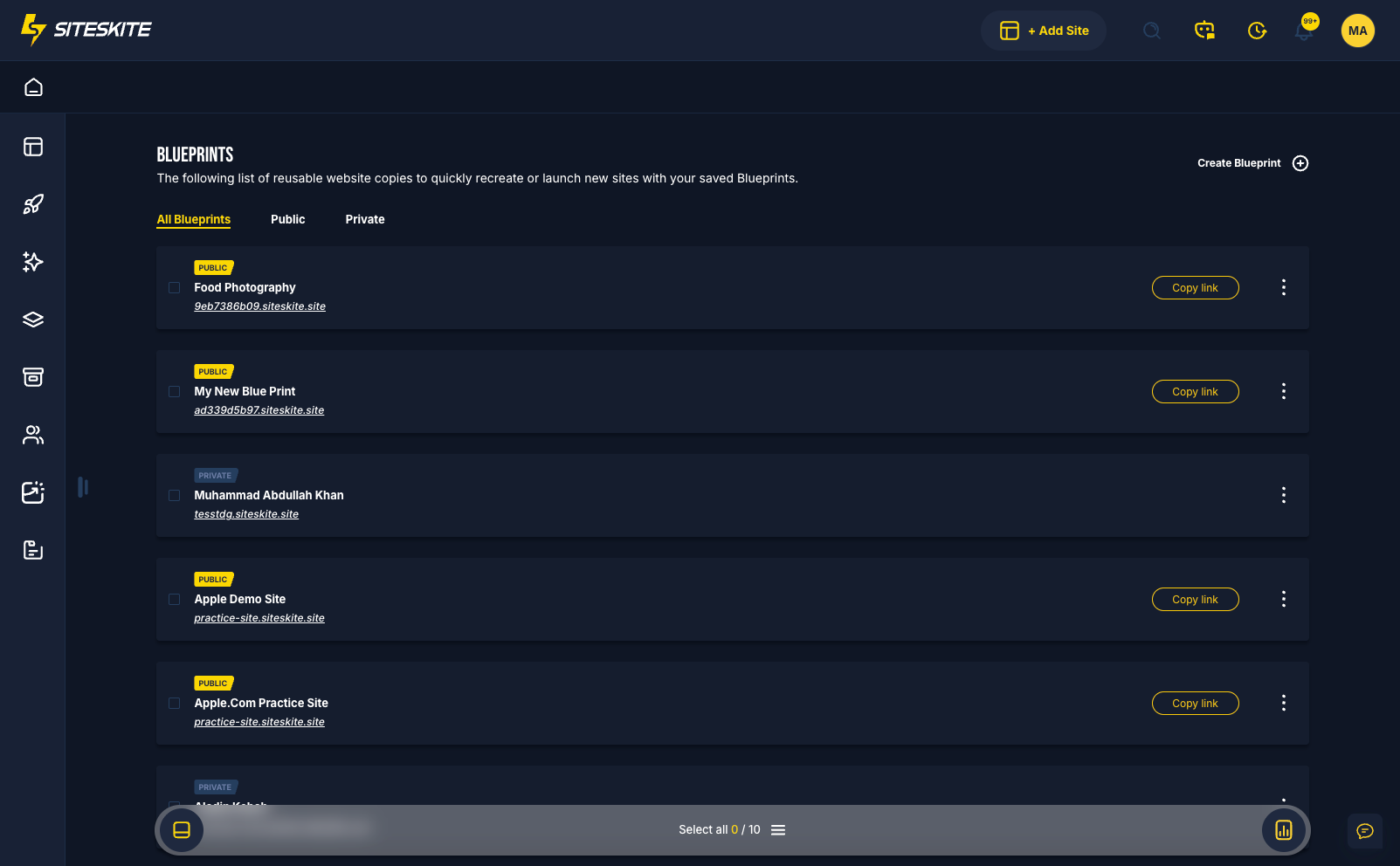
A blueprint is a saved copy of a finished WordPress sandbox: theme, plugins, content and settings. Keep it private for your own projects, or make it public and share the link. Every launch starts its own isolated sandbox with WP Admin access, with live stages and a timer while it builds, and whatever a visitor changes never touches your blueprint.
The list shows which blueprints are public, how many sandboxes are running from each, their launches over the last 14 days and their package size, so you can see which demos people actually use. A package that failed to build can be retried without filling in the form again.
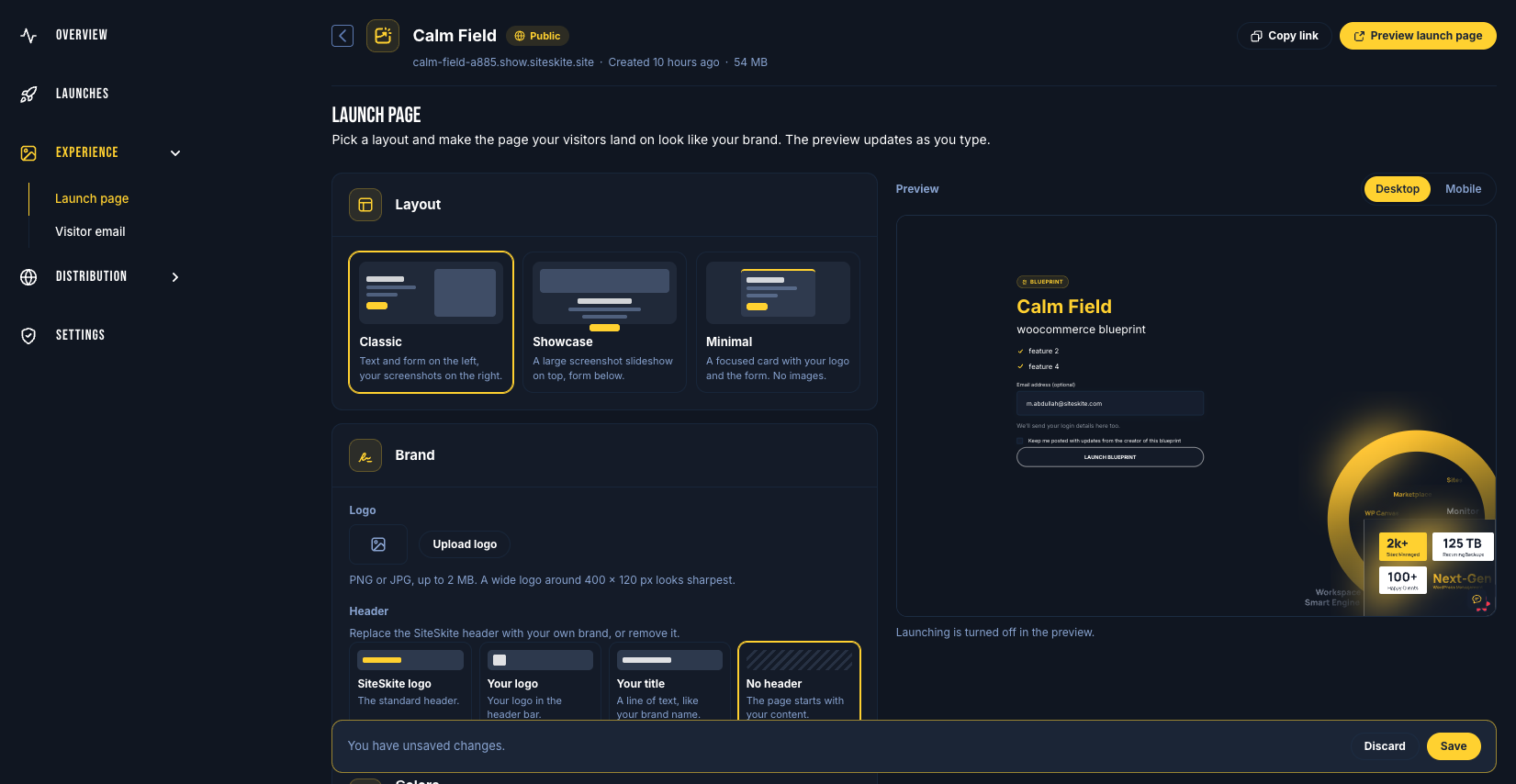
A launch page that looks like yours
Pick a Classic, Showcase or Minimal layout, upload your logo, and choose the header: SiteSkite’s, your logo, your title, or none at all. Start from one of seven colour themes and fine-tune any colour. Add up to six highlights and an eight-image gallery with captions, and watch the live preview on desktop and mobile.
Ask visitors for an email, optionally or as a must. Write the email they get with their login details and send it from your own domain. Share tracked links for each channel or campaign, or paste a branded launch button into your site or docs.
See who launched, and where the rest dropped off
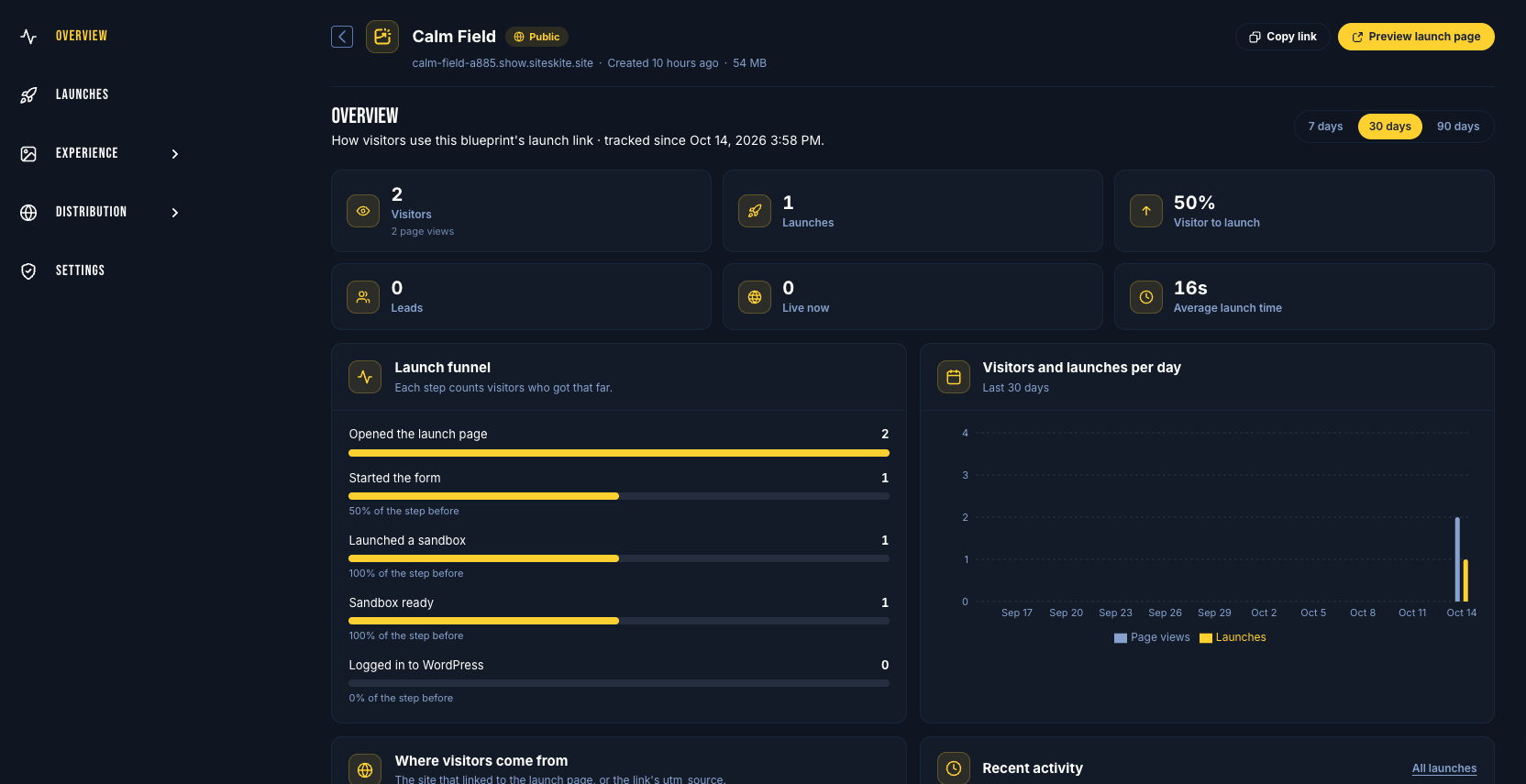
Overview tracks visitors, launches, visitor-to-launch rate, leads, sandboxes live right now and average launch time over 7, 30 or 90 days. A five-step funnel shows how many people opened the page, started the form, launched a sandbox, got it ready and logged in to WordPress.
Every launch is listed with the visitor’s email, traffic source and consent. Send leads to Mailchimp, or to Zapier, Make, n8n or your CRM with webhooks signed with HMAC-SHA256. Send a test event, and check the last 50 deliveries when something doesn’t arrive.
A different brand for every agency you serve
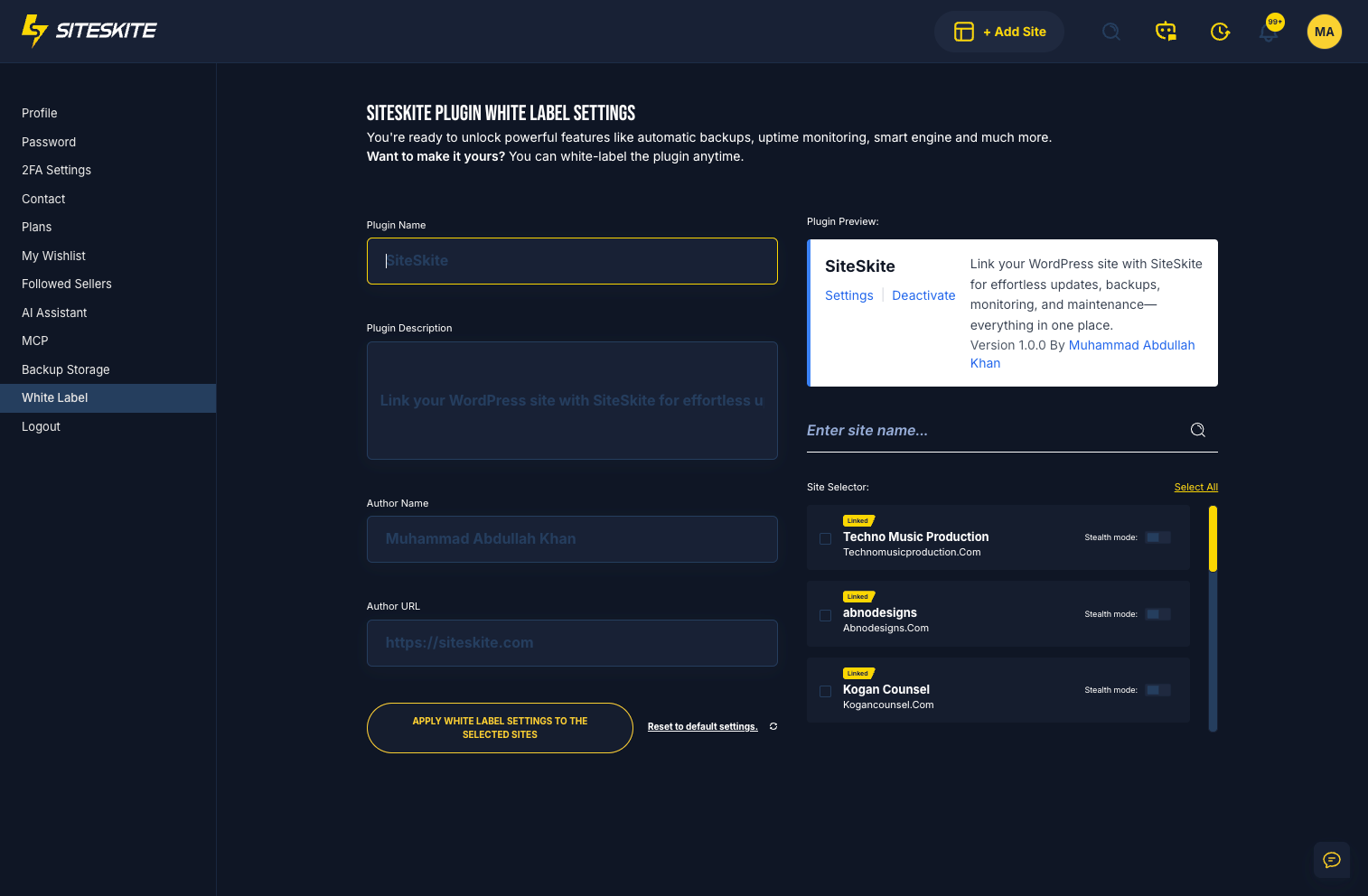
One global brand doesn’t work when you maintain sites for three partner agencies. Create a branding profile for each agency, brand or client, with the plugin name, description, author name and author link their sites show, and a private name only you see. A live preview shows how the plugin reads on the WordPress Plugins screen.
Search and filter your sites, select as many as you need, and apply a profile in one go. Edit a profile and SiteSkite flags every site still showing the old version, with one click to update them all. Stealth Mode hides the plugin where a client might remove it, and its status now reads back from each site.
How to start
- Add your domain in Settings → Custom Domains and add the DNS records it shows you.
- Open Reports, create a report from a layout, add a custom section for this month’s work, and send yourself a copy.
- Open Blueprints, save your best sandbox as a public blueprint, design its launch page, and share the link.
- Open Plugin White Label, create a profile for each agency you serve, and apply it to their sites.
Clients renew what they can see. Prospects buy what they’ve tried. Both should see your name, not ours.
Send your first branded report
Verify your domain, pick a layout, add the work you did by hand this month, and send it. Then save your best build as a blueprint and share the link with your next prospect.
Explore ReportsMore from SiteSkite
Recent launches and platform updates worth reading next.