
Product update
Try the change before it touches the live site — then show the proof
A two-second Docker sandbox keeps the experiment off the real site. The proof a client already trusts — speed, search, and analytics — stays on the site you already run.
6 min read
Why this release
The expensive moment in WordPress work is the gap. The idea is ready, then the sandbox takes a minute and the urge cools. The add-on installs, then the plugin it depends on is missing, and the test fails before it starts. A client asks why the site feels slow, and the answer is in a different Google login.
This release closes that gap. A sandbox now starts in its own Docker container in about 2 seconds, down from 45 seconds to a minute. The experiment stays in that container. The live site stays where it is. Open wp-admin and work inside the test: a full WordPress site, or a single plugin when the question is smaller than that.
Install an Elementor add-on and Elementor comes with it. Install a WooCommerce add-on and WooCommerce comes with it. SiteSkite reads the requirement WordPress publishes, and when the author leaves it out, a heuristic still recognizes the famous parent plugins and installs them first. The test you meant to run is the test that runs.
When AI Site Studio generates a site, send it to your own GitHub. Connect once. One click after that creates a new private repository under your account and pushes the site onto the main branch. A client project stays in a repo with your name on it, in the account you authorized.
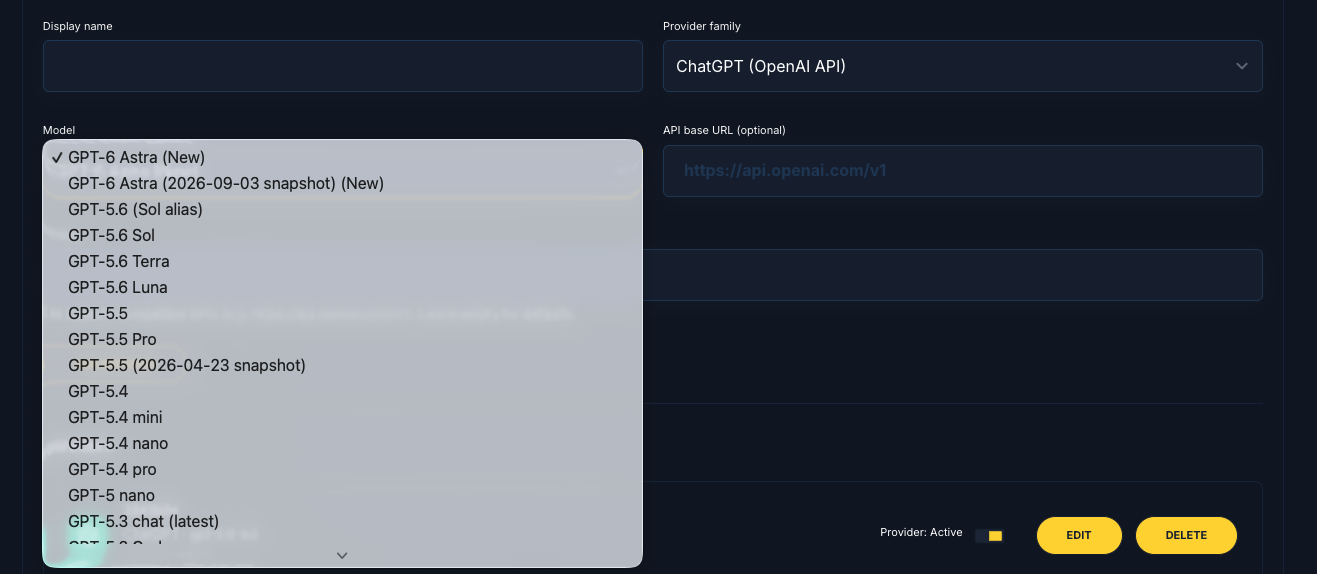
Choose the voice before the work starts
DeepSeek V4.1 Flash, Gemini 3.8, and GPT-6 Astra are in the list beside Claude and ChatGPT. One writes cleaner. Another thinks longer.
Keep the model that sounds like the brief. The choice stays yours, on the provider you already connected.
Enter as the person the task belongs to
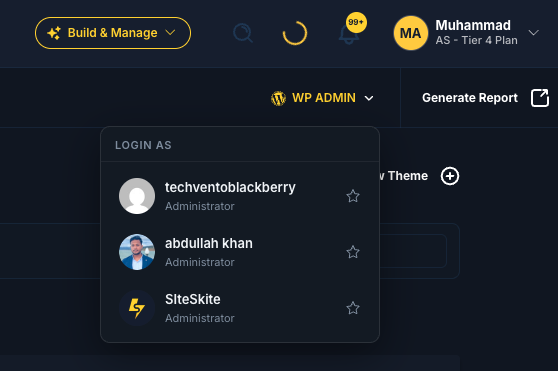
A WordPress site collects administrators. The developer. The client. The person who was made an admin for one job. One shared login is how access gets messy.
One click into wp-admin now lets you choose which administrator to enter as. When you already know, the default is still a single click.
Put a real lock on the account that opens every site
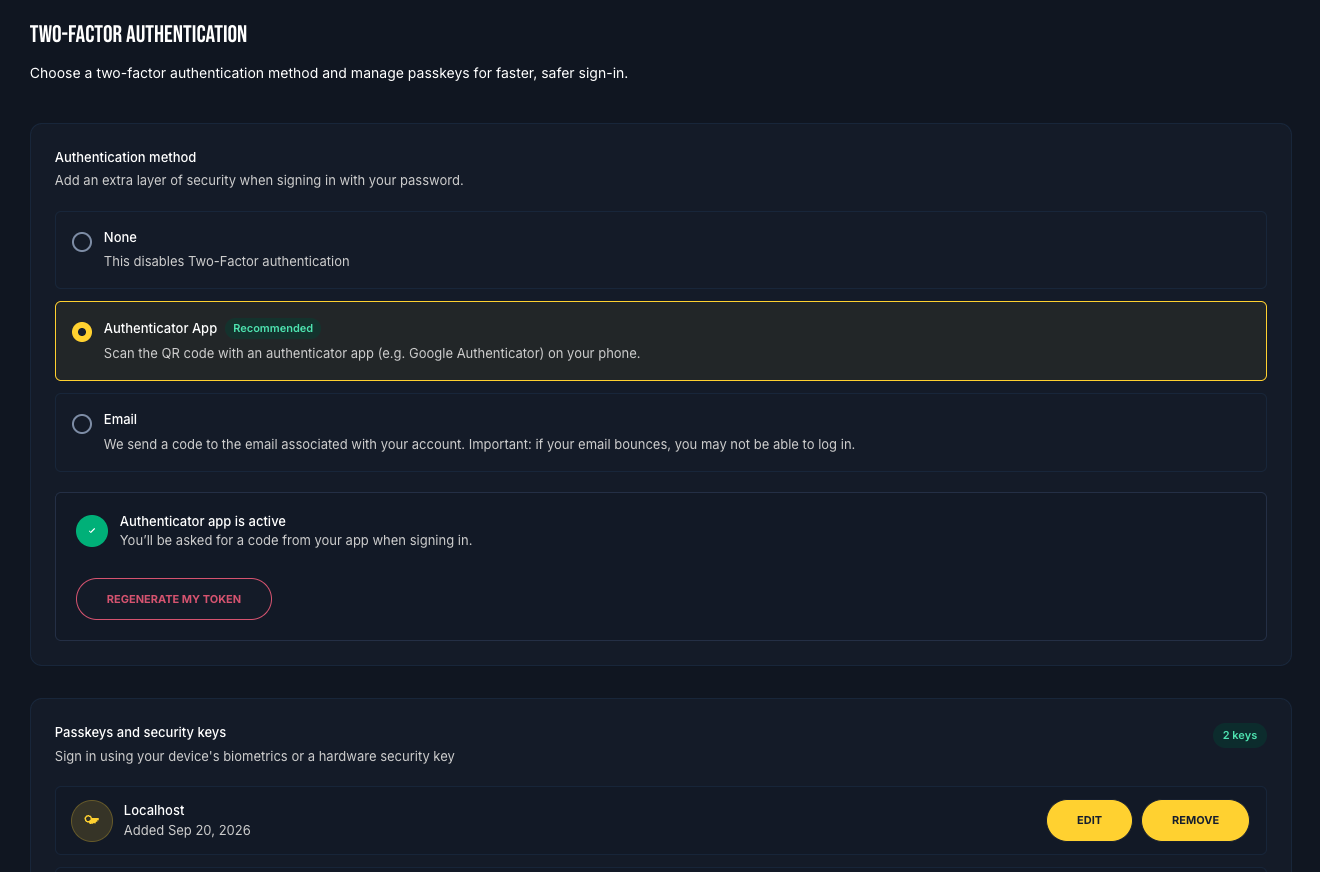
SiteSkite is the door in front of client wp-admin. That door should take more than a password. Turn on an authenticator app, and add a passkey for the machine you already trust.
The sites behind the login stay one click away. The login itself does not.
Hear the job while it is still running
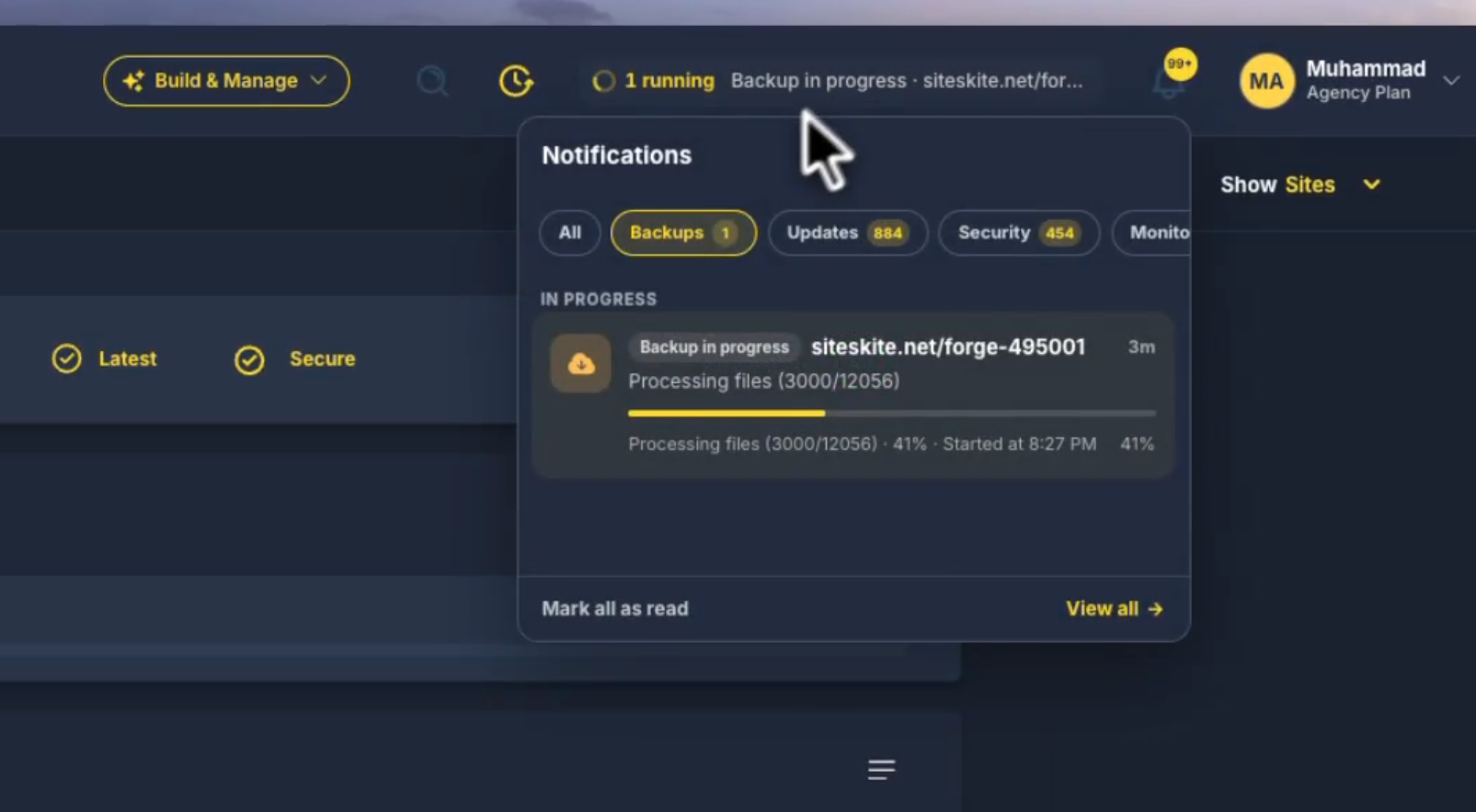
A backup used to finish in another tab. A monitor used to change, and the news waited until someone opened the site on purpose.
Notifications are live. Monitor status, backups, and the rest of the activity show up as the work happens, in the same place. Stay with the task in front of you.
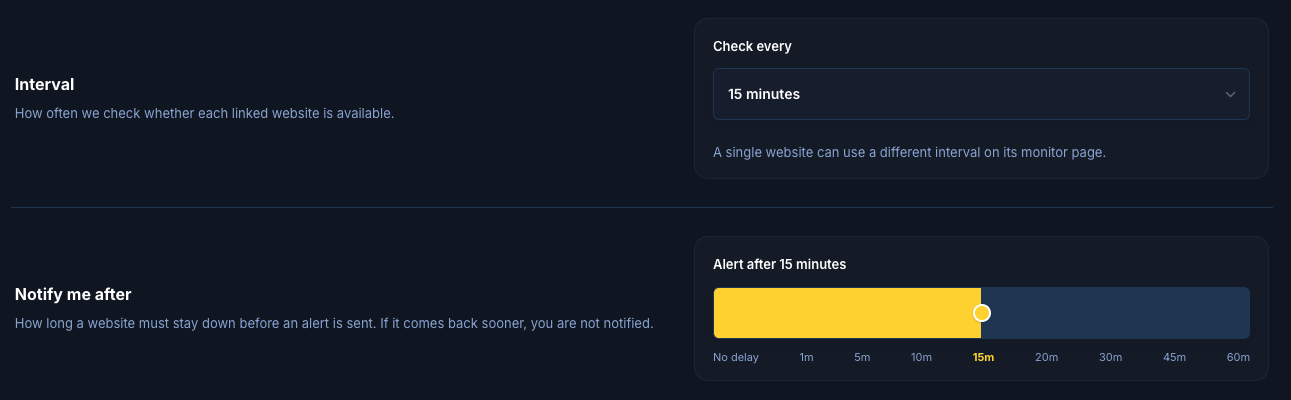
A brochure can wait. A shop cannot.
Set how often one site is checked, and set the default for the whole account. The choices run from 2 minutes to an hour. On the free plan it stays at 15 minutes.
The same screen decides how long a site must stay down before an alert goes out. A flicker is not an incident. A shop that stays quiet is.
Use the number the client already means
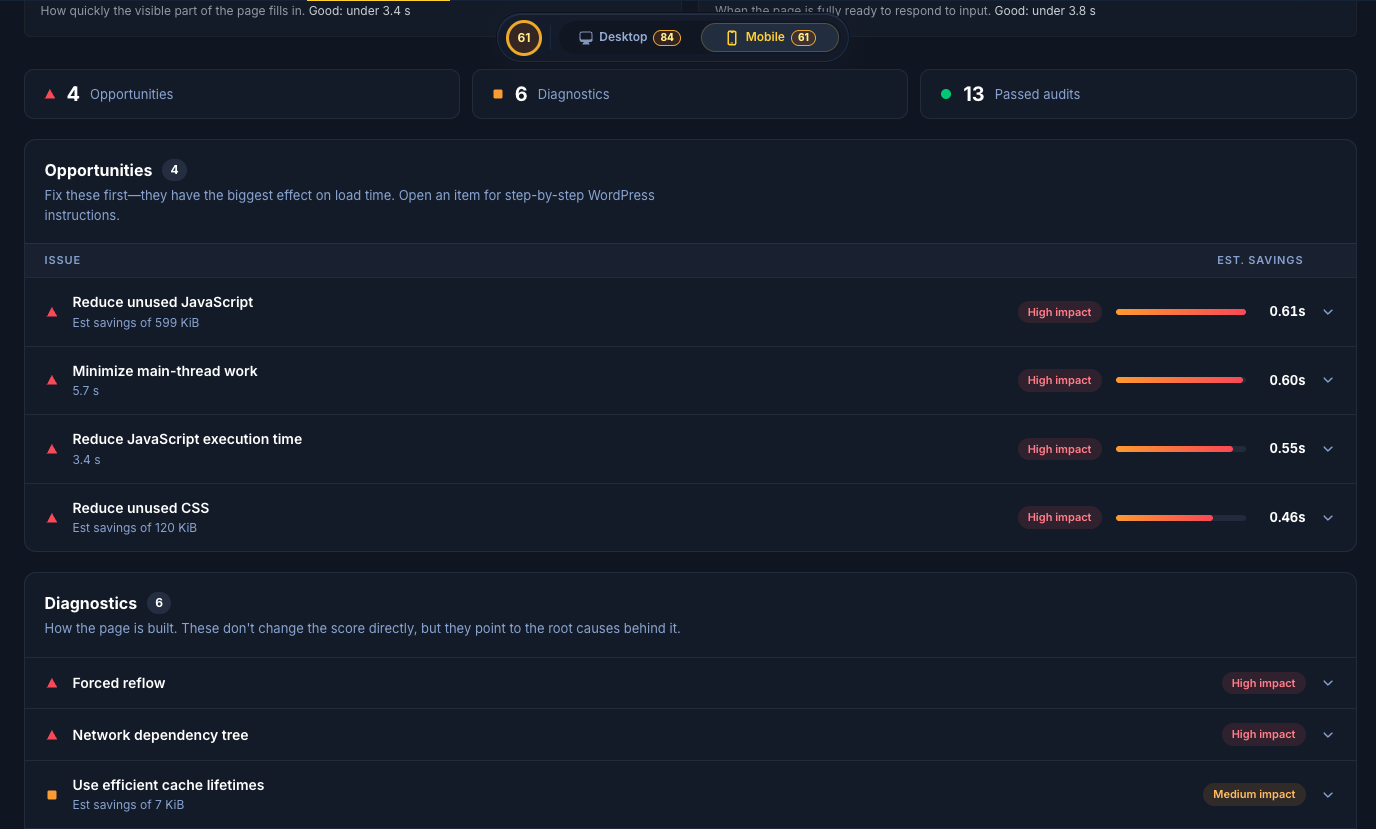
The site feels slow, and then everyone hunts a different score. Performance on a connected site shows Google Core Web Vitals: how fast it loads, how fast it responds, and how steady the page looks while it loads.
You and the client are looking at the same measures, plus the opportunities that move them. The conversation starts from a shared number.
See how people find the site, beside the site
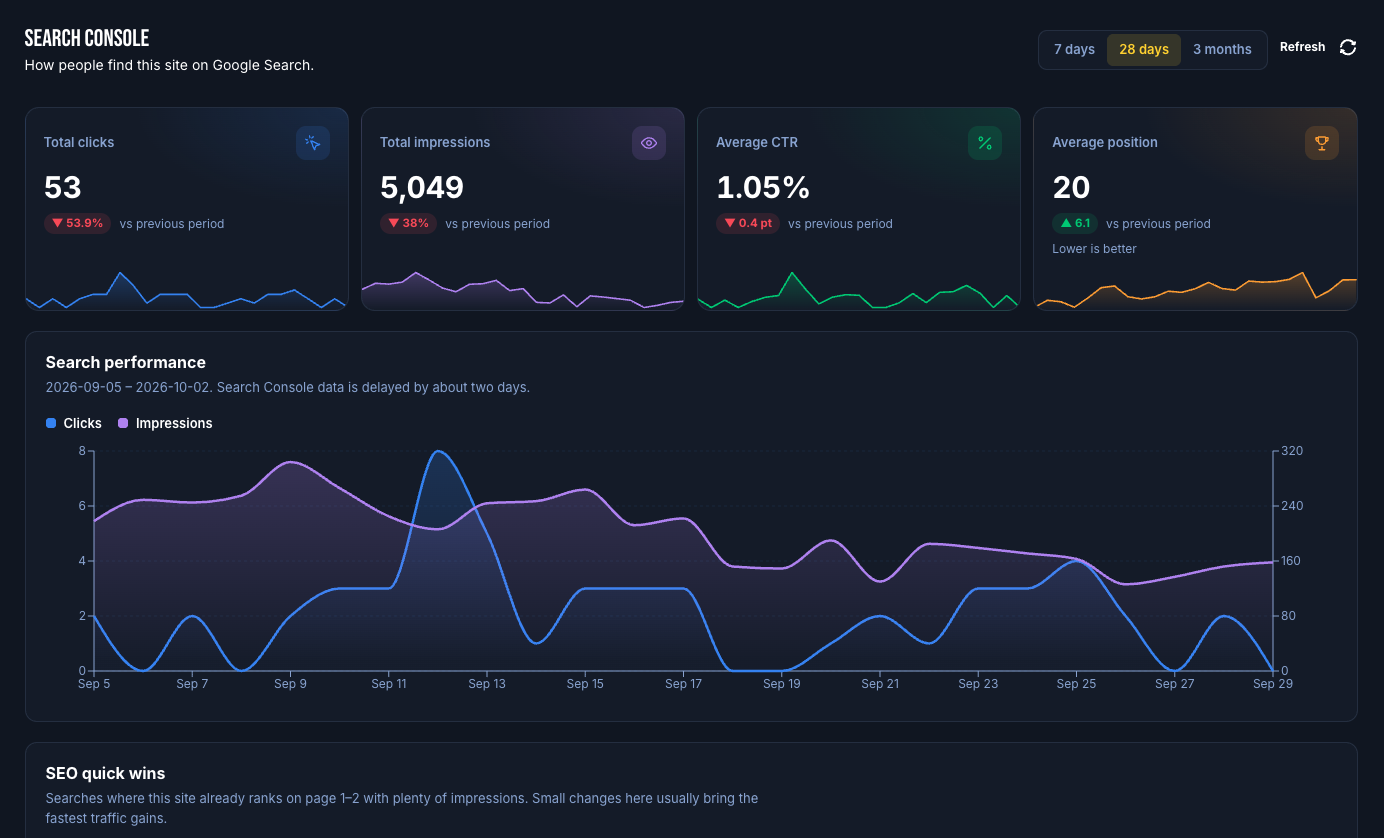
Connect Google Search Console in Settings, under Integrations. More than one Google account is fine. Then choose the property that belongs to each site.
Clicks, impressions, click-through rate, and average position sit with the site. The review happens where the work already happens.
Walk into the monthly call with the proof already there
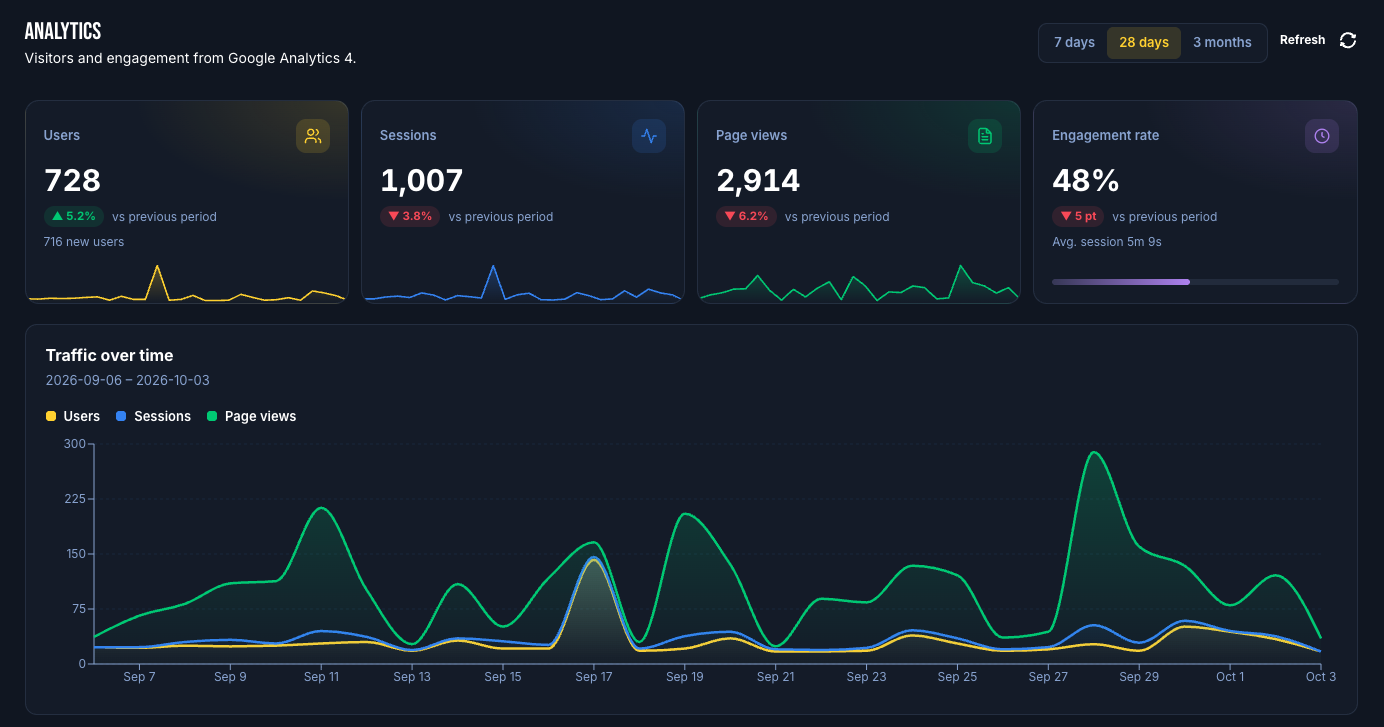
Connect Google Analytics the same way. More than one Google account, and a property chosen per site.
Users, sessions, and page views sit next to the vitals and the search queries. Those connections can go into the report, so the monthly note already holds what used to be copied in by hand.
Try it on one site
Open a sandbox and install the add-on you have been meaning to test. Then open a connected site and read the vitals, the search queries, and the analytics without leaving it.
Explore SandboxMore from SiteSkite
Recent launches and platform updates worth reading next.