
Product update
Your language, your AI keys, live WordPress edits from chat
Run the SiteSkite portal in seven languages, connect OpenRouter or Hermes as first-class BYO providers, and ask in plain language for live site work — with clear unlocks when MCP or Advanced Power Tools are needed.
4 min read
Why this release
WebOps teams do not all speak English, and they do not all want to buy AI tokens through one vendor. They also should not have to bounce between chat and wp-admin for every copy change on a linked site.
This portal update makes the dashboard match how agencies already work: pick a language, bring the AI gateway you already pay for, and ask chat to finish live WordPress work — with a clear unlock only when MCP or Advanced Power Tools must be turned on.
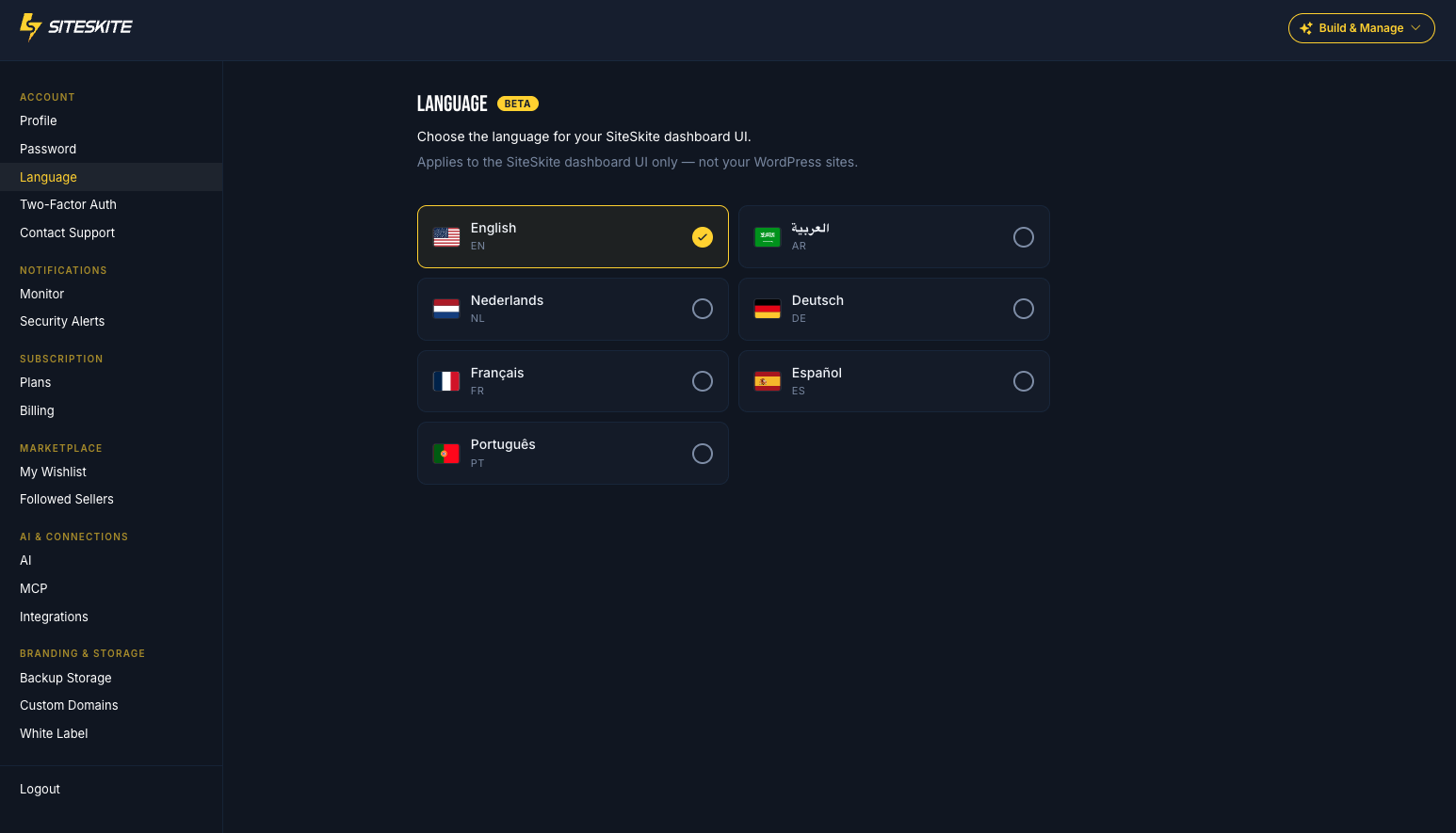
Seven languages for the dashboard you live in
Open Settings → Language and switch the SiteSkite portal to English, Spanish, French, German, Portuguese, Dutch, or Arabic. Each teammate can keep their own account language.
Portal language is separate from WordPress site language in Site Info — so your UI can be Dutch while a client site stays German.
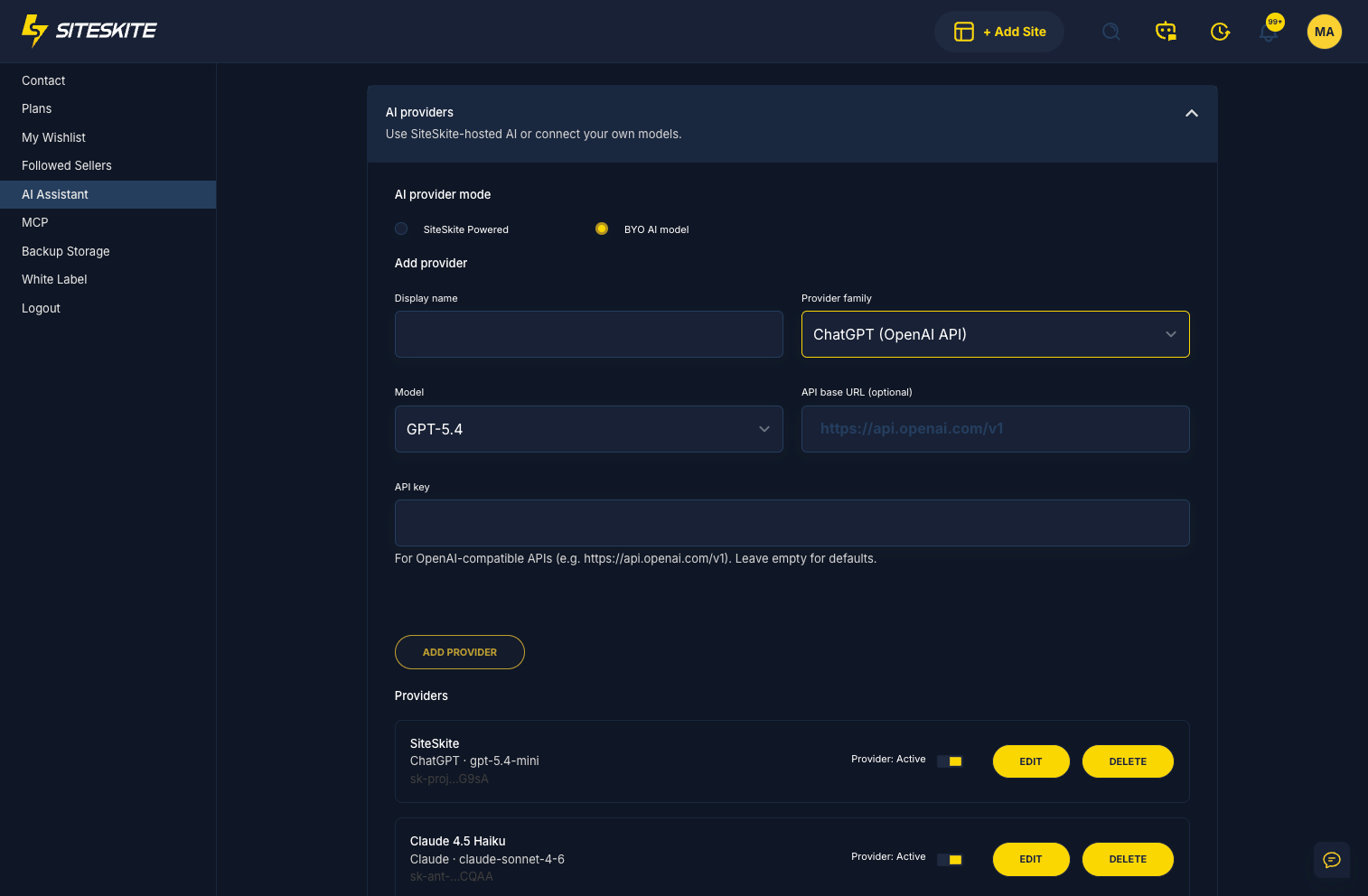
OpenRouter and Hermes, first-class
Bring Your Own AI now treats OpenRouter and Hermes as dedicated provider families — display name, key, model slug, and default API base — not only a generic custom OpenAI URL.
Use them in AI Chat and AI Site Studio the same way you use OpenAI or Anthropic. Billing stays with OpenRouter or Hermes; SiteSkite does not resell those tokens.
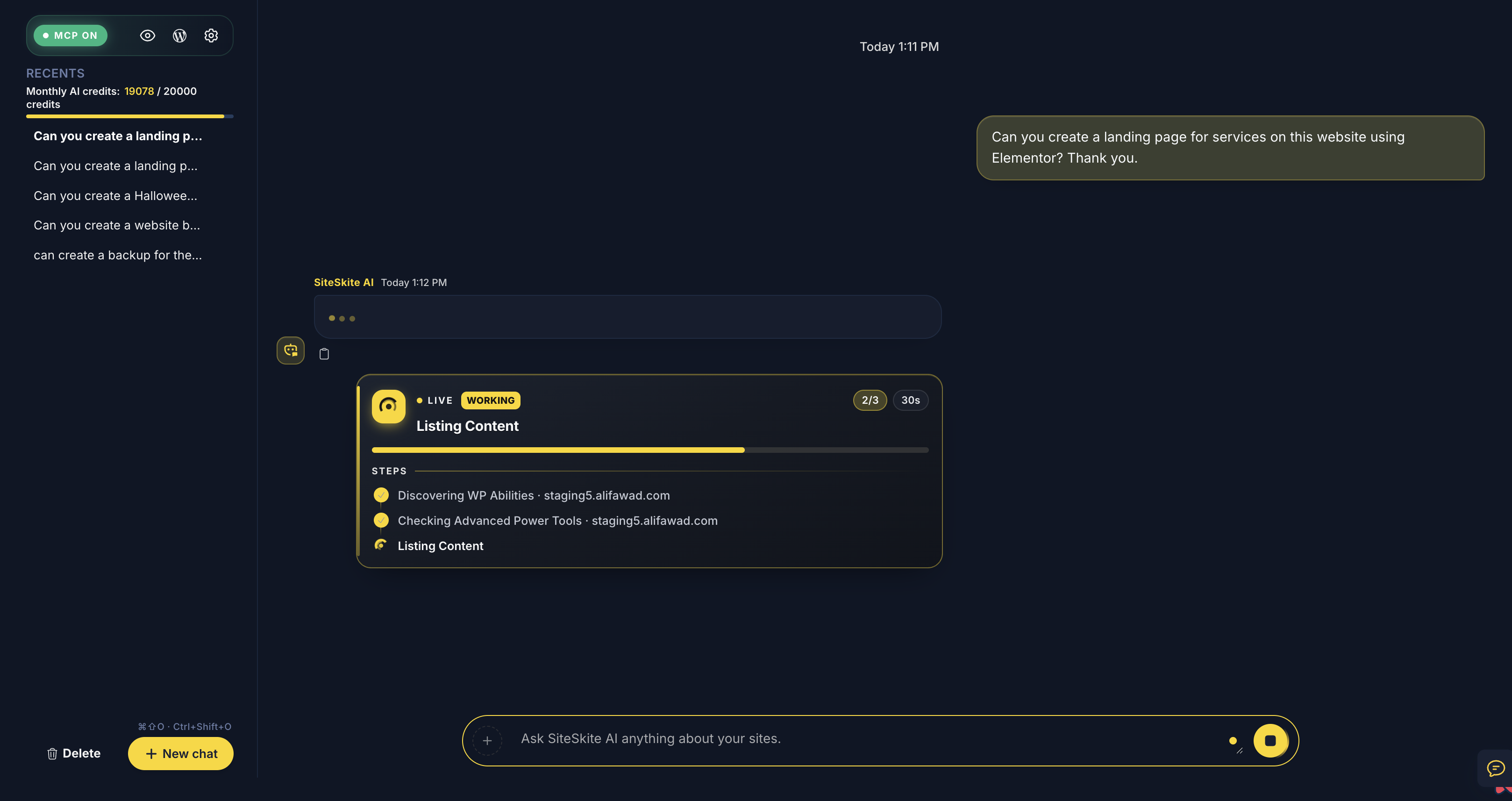
Ask in plain language. Unlock only when needed.
Your AI assistant can finish real work on the live site — forms, pages, edits — and only pauses with a clear unlock moment when you need to allow more power.
Chat can check MCP status and Advanced Power Tools / read-only ceilings, guide you when SiteSkite AI MCP must be turned on in Connect, and offer one-click allow-edits or Advanced Power Tools when those are the only blockers. If WPForms or another form plugin is already installed, AI uses Advanced Power Tools instead of asking you to install Contact Form 7.
Try it now
Set your portal language, add an OpenRouter or Hermes key under BYO AI settings, then ask AI Chat for a small live change on a linked site — unlock MCP or Advanced Power Tools only if chat asks.
Explore BYO LLMMore from SiteSkite
Recent launches and platform updates worth reading next.